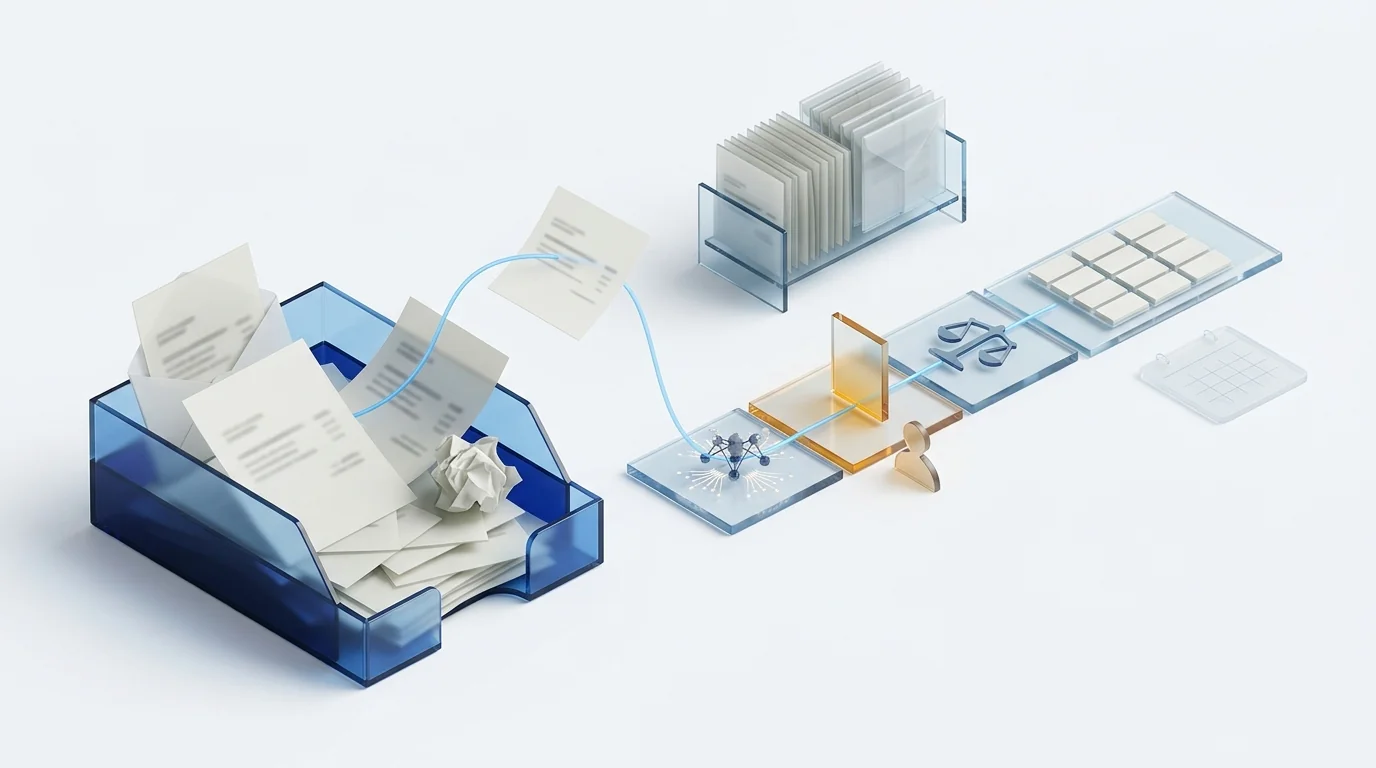
Automating supplier invoice approval means the system captures each invoice, extracts its data with AI, validates tax ID, VAT and duplicates, routes it to the approver by amount and cost centre, matches it against the purchase order and posts it to the ERP. In Spain the legal payment term is 60 days (Ley 3/2004), yet the real average was 80.5 days in 2025 according to CEPYME. A good part of that gap is lost inside the internal approval loop.
What the invoice workflow looks like today, and where the time goes
The manual supplier invoice workflow has six steps and time is lost differently at each one. People are not slow: the process lives in email, and email has no status, no owner and no deadline.
| Step | How it is done by hand | Where it breaks |
|---|---|---|
| 1. Receipt | It lands in several mailboxes: administration, the sales rep, whoever placed the order. | Invoices nobody sees for days, and duplicates paid twice. |
| 2. Registration | Someone keys supplier, base, VAT, withholding and due date into the ERP. | Typing errors that surface in the VAT reconciliation months later. |
| 3. Finding the approver | Asking by email or in the corridor who ordered that. | The invoice sits in the inbox of someone on holiday. |
| 4. Approval | An OK by email, often without looking at the order or the delivery note. | Amounts approved that do not match what was agreed. |
| 5. Posting and payment | Administration hunts for the OK email and launches the payment run. | Due dates that pass unnoticed. |
| 6. Filing | The PDF in a network folder; the paper in a binder. | Finding an invoice for an audit takes an afternoon. |
Notice that steps 3 and 4 consume the most days and have the least to do with capture technology. That is why a project that only buys an OCR improves step 2 and leaves the problem intact.
What paying late costs: the figures that already exist
The CEPYME late payment observatory for the second half of 2025 gives three figures worth having in front of you before talking about tools:
- The average payment period of Spanish SMEs was 80.5 days, more than a third above the legal maximum.
- Only one in three invoices is collected within the legal term.
- The financial burden late payment places on SMEs was put at 1.957 billion euros.
And the legal framework is clear. Spain's late payment act, Ley 3/2004, sets in Article 4 a default term of 30 days and a maximum of 60 calendar days even where the parties agree otherwise, and in Article 7 late-payment interest that accrues automatically at the European Central Bank rate plus eight points. The Crea y Crece act, Ley 18/2022, added another piece: electronic invoicing will be used, among other things, to measure real payment terms.
When you are the one paying late, the cost is not only the interest a supplier could claim. It is the early-payment discount you are never offered, the priority you lose when supply is short and the hours administration spends answering the question of when they will be paid. A workflow that approves in days instead of weeks turns all of that into margin.
What real automation means (it is not just OCR)
Automating the supplier invoice workflow means chaining five layers, each of which removes one specific kind of error. Buying only the first is the most common choice and the one that pays back least.
| Layer | What it does | Which error it removes |
|---|---|---|
| Multichannel capture | One entry point: mailbox, photo from the phone, scanner, supplier portal and structured XML. | Invoices lost in personal mailboxes, and duplicates. |
| AI extraction | Reads supplier, tax ID, number, dates, bases, VAT rates, withholding and lines without configuring a template per supplier. | Manual keying and its error rate. |
| Validation | Checks the tax ID against the supplier master, reconciles base plus VAT with the total, detects duplicates and matches against order and delivery note. | Duplicate payments, unagreed amounts and invoices from suppliers not on file. |
| Rule-based routing | Assigns the invoice to whoever must approve it by amount, cost centre, supplier or project, with deadline, reminder and delegation. | Invoices stuck in the inbox of someone who is away. |
| Posting and status | Creates the ERP entry with the proposed account, schedules the due date and shows the state of every invoice. | Forgotten due dates and the unanswered question of how much is owed today. |
The difference between an OCR and an automated workflow is the third and fourth layers. We cover the reading side in more depth in intelligent document processing: from OCR that reads to AI that understands; here we focus on what happens after reading.
The approval rules that work (and the ones that block)
The approval matrix is the part of the project that generates the most debate and pays back the most once settled. A sensible matrix for a mid-sized company has four bands and one exception rule. The amounts are an example: the structure is what matters.
| Situation | Who approves | Deadline |
|---|---|---|
| Matches order and delivery note within tolerance | Nobody: automatic approval with a log entry | Immediate |
| No purchase order, amount up to the department threshold | Cost centre manager | 2 working days, with reminder and automatic delegation |
| Amount above the department threshold | Department head and finance director, in parallel | 3 working days |
| Difference from the order outside tolerance | Whoever placed the order, with the difference highlighted | 2 working days; escalated if no reply |
| New supplier or changed bank details | Administration verifies before the invoice enters the workflow | Blocking |
Three rules that block more than they protect:
- Management approves everything. It turns one person into the bottleneck and makes them approve without looking. A signature is worth more when reserved for what matters.
- Four-level approval chains. Each level adds a day on average and none adds real control beyond the second. In parallel, not in series.
- Approving only from the office computer. If the site manager or the sales rep cannot approve from the phone, the invoice waits until they are back.
The last row of the table deserves a comment: a supplier changing bank account is the most common fraud vector in accounts payable. No amount-based rule detects it; it needs an explicit verification outside the invoice workflow.
What Spanish law requires in 2026 and 2027
Three different rules touch the received-invoice workflow in Spain, and they are often confused because all three talk about electronic invoices.
Certified digitisation. Orden EHA/962/2007 allows the paper original of a received invoice to be destroyed if the image is produced with AEAT-approved software, electronically signed and stored with the required metadata. It is what turns scanning into filing with tax validity. We detail it in certified invoice digitisation in Spain.
VERI*FACTU. It regulates the software used to issue invoices: unalterable, chained records sent to the tax agency, mandatory from 1 January 2027 for companies subject to corporate income tax and 1 July 2027 for everyone else, according to the AEAT information note. It does not change what you do with the invoices you receive, but it does require your invoicing software to be adapted; the difference from the SII is explained in VERI*FACTU versus SII.
B2B e-invoicing. Real Decreto 238/2026 implements the Crea y Crece act: companies with turnover above eight million euros will have twelve months from the ministerial order to issue in a structured format, and everyone else twenty-four. For accounts payable the consequence is twofold: invoices will arrive as data (Facturae, UBL, CII) and the recipient will have to report invoice states, starting with acceptance or rejection and payment. An approval loop with no system behind it cannot report anything. The full calendar is in mandatory B2B e-invoicing in Spain.
In one sentence: the first rule lets you get rid of the paper, the second affects what you issue, and the third will turn your approval workflow into something the tax agency can see reflected in the state of every invoice.
How to choose the tool: ten questions before you sign
These ten questions separate an OCR with an inbox from an accounts payable workflow. Ask them in writing and, better still, ask to see them answered with your own invoices.
- Does it need a template per supplier? If the answer is yes, every new supplier is a small project.
- Does it read invoices with several VAT rates, withholding and disbursements? That is normal in Spain and where many tools built for other markets fail.
- Is it AEAT-approved for certified digitisation? Without that, the paper remains the original.
- Does it accept email, phone, scanner and structured XML at the same time? Without anyone having to convert formats.
- Does it detect duplicates and match against order and delivery note? With tolerances configurable by purchase type.
- Can administration change the approval matrix without calling a developer? It will change every time the org chart does.
- Can people approve from the phone, with delegation and reminders? If not, the workflow waits for people to return to the office.
- Does it write the entry into your ERP or only export a CSV? Ask about yours by name.
- Does it show the state of every invoice and the total outstanding in real time? That is what answers how much is owed today.
- Will it be able to report invoice states when RD 238/2026 applies? If the vendor has no answer, you will be changing tools within two years.
If you want to put numbers on the decision, the ROI calculator helps you estimate the current cost of a manual workflow before comparing offers.
How Dokuflex solves it: from email to the ledger without typing
Dokuflex, a low-code BPM platform with AI, treats the supplier invoice as what it is: a document that triggers a process. The five layers in this article live in the same tool, which is what avoids the integration project between an OCR, an approval manager and the ERP.
- A supplier portal as the front door. Suppliers sign up with a one-time code sent by email, upload their invoice and track its status until payment; the invoice arrives read from the XML, with its authenticity checked (Facturae, CFDI with the SAT, e-invoices from 14 Latin American countries) and no duplicates. See the supplier portal.
- AI reads the invoice without templates. Supplier, tax ID, bases, several VAT rates, withholding and lines, from a PDF, a photo or an XML. It is the layer described on the AEAT-approved invoice management with OCR and AI page.
- Certified digitisation included. The image is signed and filed under Orden EHA/962/2007, so the paper can be destroyed. It is described in AEAT certified digitisation.
- The approval loop is a BPM flow. The matrix of amounts, cost centres and delegations is drawn in the Dokuflex low-code BPM designer and changed by administration whenever the org chart changes. Every approval is logged with user, date and document version.
- Approval from the phone. The site manager, the sales rep or the general manager approve or reject from the app, with the order and delivery note alongside.
- ERP posting and payment status. Integration with SAP, Sage, A3 and Holded among others through Dokuflex integrations, and a dashboard of what is outstanding by due date.
What Dokuflex does not do is replace your judgement about who approves what. That is decided in a one-hour meeting with administration and purchasing; the rest is configuration.
Book a demo with ten of your invoices and we walk the workflow end to end →
Frequently asked questions
What is accounts payable automation? +
It is the set of steps that takes a supplier invoice from the moment it enters the company until it is posted and paid without anyone typing it in or chasing approvals: capture through any channel, AI data extraction, tax and duplicate validation, rule-based routing to the approver, matching against the purchase order and delivery note, ERP posting and payment status tracking.
Can the paper original of a received invoice be destroyed in Spain? +
Yes, provided the digitisation is done with software approved by the Spanish tax agency (AEAT) under Orden EHA/962/2007. The electronically signed image with the required metadata replaces the paper original for tax purposes and the paper can be destroyed. An invoice scanned with any ordinary OCR does not give that cover: the paper remains the original and must be kept.
What is the legal payment term between companies in Spain? +
Ley 3/2004 sets a default term of 30 days and a maximum of 60 calendar days even where the parties agree otherwise. Once the term expires, late-payment interest accrues automatically at the European Central Bank rate plus eight points. In practice, according to the CEPYME late payment observatory, the average payment period of Spanish SMEs was 80.5 days in 2025.
Does VERI*FACTU affect the invoices I receive from suppliers? +
Not directly. VERI*FACTU regulates the software used to issue invoices, mandatory from 1 January 2027 for companies subject to corporate income tax and from 1 July 2027 for everyone else. Received invoices do not change because of VERI*FACTU. What does change them is the B2B e-invoicing regulation in Real Decreto 238/2026: once it applies, invoices will arrive in a structured format and the recipient will have to report their acceptance or rejection and their payment.
What is three-way matching? +
It is the automatic check that the invoice matches the purchase order and the delivery note: same supplier, same references, same quantities and same prices within a tolerance. When all three agree the invoice can be approved without human intervention; when they do not, it goes to whoever placed the order with the difference highlighted. It is the step that removes the most manual approvals.
How long does it take to implement an automated invoice approval workflow? +
It depends on what you connect, not on the capture. A capture, extraction and approval-inbox workflow can be in production within weeks if the tool needs no per-supplier templates. What stretches the project is the ERP integration and the definition of the approval matrix, so both should be settled before starting rather than at the end.
What about invoices arriving on paper, as PDF and as XML at the same time? +
A well-designed workflow treats them identically from the second step onwards. Paper is scanned or photographed with the phone, the PDF comes in through the mailbox and structured XML (Facturae, UBL) is read directly without OCR. From there, validation, approval rules, matching and posting are the same for all three. What matters is that the tool accepts all three channels without forcing anyone to convert them by hand.
Sources
- Ley 3/2004, of 29 December, on measures against late payment in commercial transactions: Article 4 (payment terms) and Article 7 (late-payment interest).
- CEPYME — Observatorio de la Morosidad, second half of 2025: average payment period, invoices collected on time and financial burden on SMEs.
- Ley 18/2022, of 28 September, on business creation and growth: Article 12, electronic invoicing between businesses and professionals.
- Real Decreto 238/2026: B2B e-invoicing regulation, twelve- and twenty-four-month deadlines and reporting of invoice states.
- Orden EHA/962/2007: certified digitisation of invoices and electronic storage.
- AEAT — Information note on the extended deadline to adapt invoicing systems (VERI*FACTU): 1 January 2027 and 1 July 2027.
Let the next invoice not depend on an email
Book 30 minutes with ten real invoices: we read them, route them by your matrix and see how they would land in your ERP. No commitment and no generic presentation.