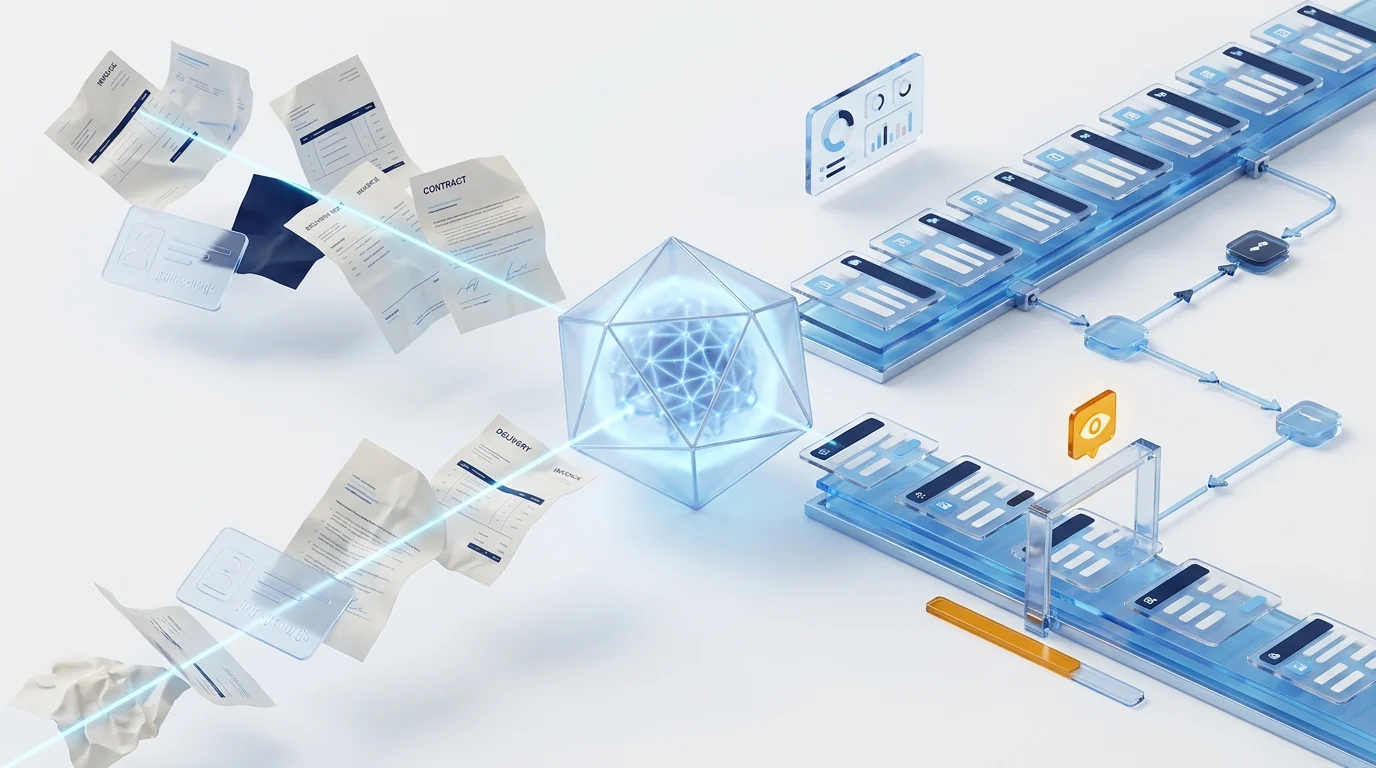
Intelligent document processing (IDP) combines OCR and artificial intelligence to classify documents, extract their data with meaning and validate it before handing it to the process or the ERP. Unlike classic OCR, it needs no templates and no per-document-type model training: today's AI locates the fields even if it has never seen that format, and sends only doubtful cases to human review.
What IDP is and how it goes beyond classic OCR
Intelligent document processing (IDP) is a chain of four steps that classic OCR only half covered: classify which document has arrived, extract the relevant data with its meaning, validate that data against business rules and deliver the result to the process that needs it. The practical difference shows best in a table:
| Traditional OCR | AI-powered IDP | |
|---|---|---|
| What it returns | Plain text: the image converted into characters | Structured data: supplier, amount, due date, clauses… |
| New formats | Every new supplier or template means configuring zones by hand | Locates fields by meaning: copes with formats it has never seen |
| Classification | Manual or via fragile rules (file name, barcode) | Automatic: tells invoice, contract, delivery note or ID apart by content |
| Errors and doubts | Discovered later, once the wrong data is already in the system | Per-field confidence + validations: only doubtful cases go to human review |
| Getting started | A template and training project for every document type | Configuration: you specify the fields you want and tune thresholds |
If your organisation still lives with folders of scans and manual typing, the starting point is the same one we describe in how to improve your company's document management; IDP is the next step up.
Why 2026 is the tipping point
The concept of IDP has been around for years; what has changed is the underlying technology and the context:
- Vision-capable language models: zero-shot extraction — asking the model for the fields you want without first showing it hundreds of examples — has replaced templates and per-document-type training projects. It is the same leap we describe in LLM and RAG inside Dokuflex, applied to capture.
- A market taking off: analysts at Fortune Business Insights estimate the global IDP market at around 14.2 billion dollars in 2026, projected to exceed 91 billion by 2034 — with finance and accounting as the leading application area.
- Regulation is pushing: VERI*FACTU and Spain's mandatory B2B e-invoicing turn the invoice workflow into an end-to-end digital process. Throughout the transition, structured invoices will coexist with PDF and paper documents — and someone (or something) will have to capture them.
- The automation agenda: according to Gartner, 40 % of enterprise applications will feature task-specific AI agents by the end of 2026. Documents are the raw material of a large share of those tasks: without reliable capture there is no useful agent.
In short: the technical barrier to entry has fallen just as regulatory and competitive pressure has risen. That is why IDP has gone from pilot project to budget line.
Where to apply it first: the five highest-return flows
- Supplier invoices: the classic, by volume. Header and line-item capture, matching against the purchase order, and direct entry into the approval circuit. It is also the gateway to the compliance work we cover in the mandatory e-invoicing guide.
- Employee receipts and expenses: a photo from the phone, extraction of the amount, VAT and merchant, and the expense policy applied automatically — as in the expense management solution.
- Contracts: identification of parties, dates, amounts, expirations and sensitive clauses, with alerts before tacit renewals.
- Delivery notes and orders: delivery-note–order–invoice reconciliation without typing, the triangle where the most discrepancies get lost.
- Case files and customer or employee onboarding: IDs, certificates and forms classified and verified on arrival, feeding the digital file directly.
The rule for picking the first flow: high volume, repetitive data and a clear downstream process. A pilot on invoice intake is usually measured in weeks, not quarters.
Data is worthless outside the process
This is where many "lab" IDP projects fail: they extract the data beautifully… into a spreadsheet. If the extraction doesn't land in a process, all you have done is move the typing somewhere else. The questions that define the real value come after the capture:
- Who approves this invoice and with what amount limits?
- What happens if the amount doesn't match the order or the tax ID is invalid?
- Where is it audited who corrected which field and when?
- How does the validated data reach the ERP without yet another fragile integration?
They all get the same answer: IDP has to live inside a BPM. Capture is one step of the flow; human validation of doubtful cases is another step of the same flow, with its owner and its SLA; and delivery to the ERP is a standard connector, not a build. It is the same governance principle we apply to BPM-governed AI agents: AI does the mechanical work, people decide the sensitive parts, and everything is traced.
How Dokuflex solves it: capture, process and tax validity in one platform
In Dokuflex, IDP is not a separate product to integrate: it is a native capability of the same low-code BPM platform:
- AI classification and extraction over any inbound channel — email, scanner, mobile, watched folder — with no per-supplier templates, inside AI document management.
- Governed human validation: confidence thresholds and business rules decide what passes straight through and what gets reviewed; corrections are made on screen and audited.
- The process is already there: extracted data drops straight into the approval flow, with SLAs, escalations and ERP integration through connectors and APIs — no stitching together capture and workflow products from different vendors.
- Tax validity included: AEAT-certified digitisation lets you destroy the paper with full guarantees, in the same capture flow.
And because the AI runs under the platform's European umbrella, processing stays GDPR-compliant without your documents leaving for opaque services — the detail is in our LLM + RAG architecture under GDPR.
How to evaluate an IDP solution: 6 criteria
- No templates and no per-document training. Ask for a trial with your real documents, including the ugly ones: skewed scans, new suppliers, mixed languages.
- Per-field confidence and an exception circuit. You should be able to set thresholds, and human review should be a step of the flow, not an email.
- Built-in business validations. Reconciliations, supplier master data, tax IDs, duplicates — before the data touches the ERP.
- Downstream process on the same platform. If capture and workflow are separate products, you are back to the integration problem IDP promised to eliminate.
- Verifiable European compliance. Where the data is processed, with which models, and whether AEAT-certified digitisation is available when it's time to destroy paper.
- Transparent cost per document and measurable ROI. Documents per month, minutes saved per document and exception rate: with three numbers you have the business case.
Frequently asked questions
What is intelligent document processing (IDP)? +
It is the evolution of OCR: instead of merely transcribing a document's text, IDP combines optical recognition with AI models to classify the document (invoice, contract, delivery note, ID…), extract the relevant data with its meaning (supplier, amount, due date, clauses), validate it against business rules and deliver it to the process or system that needs it. The result is not text, but structured data ready to use.
How does IDP differ from traditional OCR? +
Traditional OCR converts an image into text and needs templates: you have to define where on the page each field sits, and every new supplier or format means configuring another template. IDP understands the content: it identifies the document type and locates fields by their meaning, not their position, so it copes with formats it has never seen, skewed scans or invoices from new suppliers with no prior setup. It also returns a per-field confidence score, so only doubtful cases go to human review.
Which documents can be processed with IDP? +
Practically any business document: supplier invoices and expense receipts, contracts and their key clauses, delivery notes and purchase orders, identity documents for onboarding and verification, payslips and HR paperwork, and incoming correspondence that needs classifying and routing. The biggest returns are usually in the highest-volume, most manual flows: invoice intake in finance and customer documentation in onboarding processes.
Do you have to train a model for every document type? +
With the current generation, no. Vision-capable language models allow zero-shot classification and extraction: you tell them which fields you are looking for and they locate them even if they have never seen that specific format. It is the decisive change from the previous approach, where every document type required a training project with hundreds of labelled examples. Fine-tuning is reserved for very specific, high-volume cases.
What happens when the AI gets it wrong or is unsure? +
A well-designed IDP doesn't aim for 100 % automation, but for the right circuit: extracted fields carry a confidence score and validation rules (amount reconciliation, valid tax ID, existing supplier), and only documents that fail those thresholds go to human review inside the same flow. The person corrects on screen, the process continues and the correction is audited. That is why IDP must live inside a BPM: the exception is one more step of the process, not an email with a spreadsheet.
Is IDP capture legally valid before Spain's tax authority? +
Data extraction as such requires no certification, but if you want to destroy the paper after digitising it you need certified digitisation software approved by the AEAT, which guarantees that the digitised image is a faithful copy of the original. Dokuflex holds that certification, so intelligent capture and digitisation with tax validity are handled in the same flow.
Stop typing documents this quarter
Bring your real invoices, contracts or delivery notes to a 45-minute session: we process them live with Dokuflex's document AI, set up the validation circuit and you leave with a savings estimate per document.