Digitizing an invoice is not scanning it. It means turning the document, on paper or as a PDF, into data the accounting system can record without keying, into an image that can be found in seconds and, if done with approved software, into a file that lets you dispose of the paper with full validity before the AEAT, the Spanish tax agency.
This guide, written for companies operating in Spain with the Spanish rules in front of us, explains what digitizing an invoice is and how it differs from scanning it or from e-invoicing; how a scanned invoice is booked and how long it must be kept; what certified digitization allows; what OCR and IDP really do; how the data gets to Excel or to the accounting software; and how to choose the right approach for your volume.
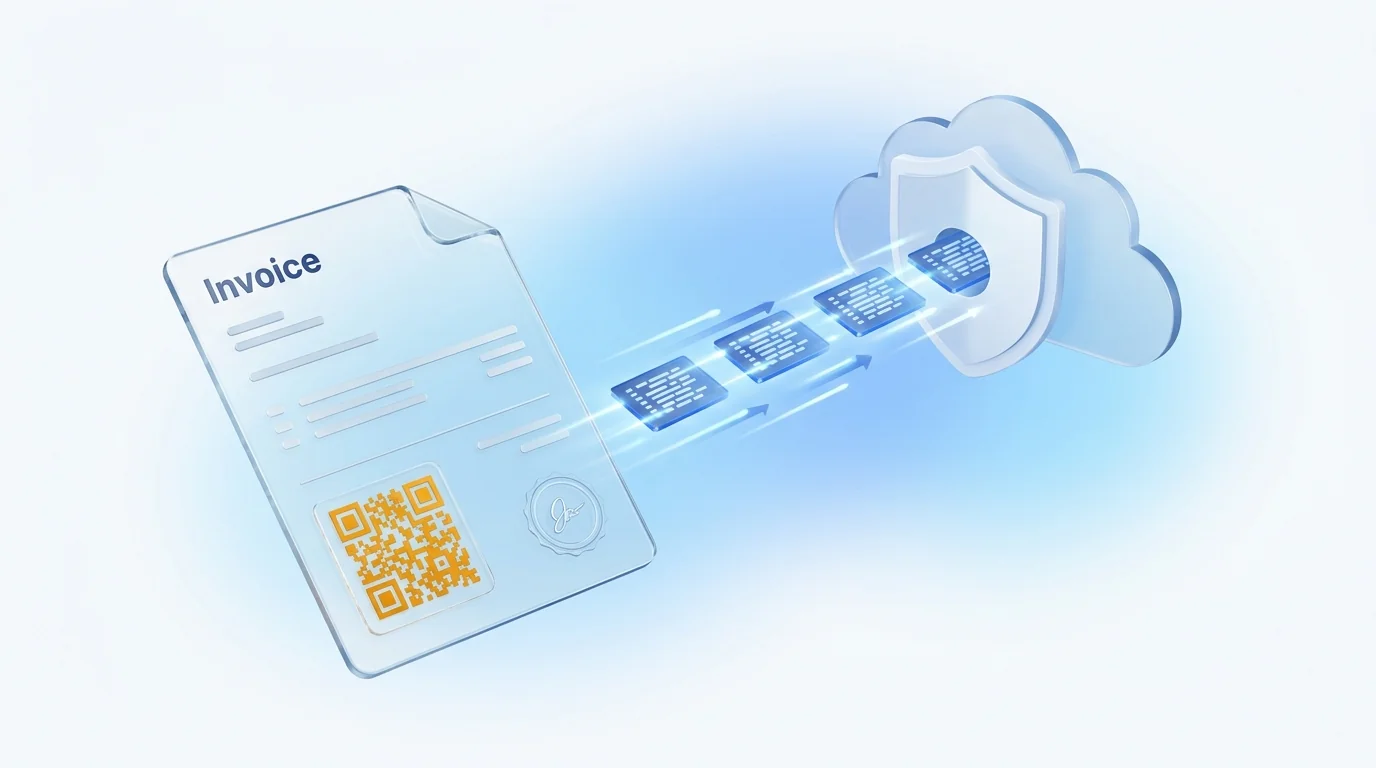
Invoice digitization is the process of capturing an invoice received (paper, PDF or photo), extracting its data (issuer, NIF tax ID, number, date, taxable bases, VAT rates, withholdings and total), validating it and filing it with metadata so it can be booked and retained in digital form. A scan only produces an image; digitization produces data. Only when the capture is performed by software approved by the AEAT (certified digitization, Orden EHA/962/2007) can the paper original be destroyed.
In an accounts department the three terms are used as synonyms, and the confusion has a cost: there are companies that have been “digitizing” for years and still key in every invoice, and others that have thrown away the paper believing a PDF in a folder was enough. It pays to fix the vocabulary before talking about tools.
| Concept | What it produces | Who does it | Does it replace the paper? |
|---|---|---|---|
| Scanning | An image (PDF, JPG, TIFF). The data is still “inside” the image; someone has to read it. | The recipient, with a scanner or a phone. | No. It is a copy; the original is still the paper. |
| Digitizing | Image + structured data (NIF, number, date, taxable bases, VAT, total) + filing metadata. | The recipient, with OCR/IDP software on paper, PDF or photo. | Only if it is certified digitization with AEAT-approved software. |
| Electronic invoice | A structured file (Facturae, UBL, CII) that is born digital, with the issuer's signature or seal. | The issuer, from their invoicing software. | There is no paper to replace: the file is the original and is kept as is. |
Two useful nuances. First: a PDF your supplier sends you by email is not an electronic invoice in the technical sense, even though it is digital; it is an image of an invoice and is treated the same as a scan. Second: Spain's invoicing regulation allows invoices to be issued and kept “on paper or in electronic format” provided that authenticity of origin, integrity of content and legibility are guaranteed (RD 1619/2012, arts. 8 and 20). Digitization done properly is precisely the procedure that leaves those three guarantees documented.
The question “can I book a scanned invoice?” has a short answer: yes. What is recorded in the accounts is the economic transaction the invoice documents, not the medium. A good-quality scan works perfectly as a working copy to generate the journal entry and the line in the VAT register of invoices received. The long question is what happens to the supporting document, and there it pays to go step by step.
Each invoice received is recorded with its receipt number, issue date, transaction date if different, the issuer's name and NIF, taxable base, VAT rate and amount and, where applicable, the withholding. These are exactly the fields a good OCR must extract; that is why digitization starts with the VAT register, not with the scanner.
The typical entry for a supplier invoice debits the expense or purchase (group 6 or 2 of the Spanish chart of accounts, depending on whether it is an expense or a fixed asset), debits deductible input VAT (account 472) and credits the supplier or creditor (400 or 410), with the withholding credited to 4751 where there is one. An invoice with several VAT rates or with non-deductible expenses generates several lines; it is where manual capture makes the most mistakes and where automatic validation adds the most.
The Ley 37/1992 (Spanish VAT Act, art. 97) makes deduction conditional on holding the supporting document, first and foremost the original invoice. That does not require booking from the paper: it requires having the invoice and being able to produce it. If you only scan, the original is the paper and must be kept. If the capture is done by certified digitization, the signed image takes the place of the original (see section 4). And if the invoice arrives as an electronic invoice, the original is the file and it must be kept in its format, without converting it.
The invoicing regulation allows authenticity and integrity to be proven “by any means of evidence admissible in law”, including the usual management controls that create a reliable audit trail between the invoice and the transaction (purchase order, delivery note, payment). In practice: if your system can show who received the invoice, who approved it, which order it was matched against and when it was paid, the scanned invoice is better supported than many paper ones in a filing cabinet.
Two rules set the periods and a third sets the form. The Ley 58/2003, General Tributaria (Spain's General Tax Act, LGT) lists among the formal obligations (art. 29.2) “the obligation to keep and retain accounting books and records” and “the obligation to issue and deliver invoices or substitute documents and to retain invoices”, and sets in art. 66 a limitation period of four years for the tax authority's right to assess. The Código de Comercio (Spanish Commercial Code, art. 30) is stricter: books, correspondence, documentation and supporting documents of the business must be kept for six years from the last entry. The invoicing regulation (RD 1619/2012, arts. 19 to 23) says how.
| What RD 1619/2012 requires | Article | What it means for a digitized invoice |
|---|---|---|
| Keep invoices received, copies of invoices issued and accounting vouchers for the LGT period. A third party may hold them, but the taxpayer remains responsible. | Art. 19 | You can outsource custody (a SaaS provider), but responsibility cannot be outsourced: it requires a contract, a guaranteed location and guaranteed access. |
| On paper or in electronic format, guaranteeing authenticity, integrity and legibility, and access by the tax authority “without delay”. | Art. 20 | A loose PDF in a network folder meets integrity poorly; a repository with version control, a hash or signature and an access log meets it well. |
| If retention is electronic: legibility in the original format, signature verification data, and online availability with viewing, search, copy, download and print. | Art. 21 | An electronic invoice is not “printed and filed”: the signed file is kept. And the archive has to be searchable, not a switched-off hard drive. |
| Place of retention is free within Spain; outside Spain, only by electronic means with online access and remote download, notifying the AEAT. | Art. 22 | If the provider hosts outside Spain, ask about the server region and remote access before signing. |
| The tax authority must be able to access online, download and use the documents during its audits. | Art. 23 | Prepare the “audit mode”: bulk export by period and by supplier, with the image and the metadata. |
The practical rule: six years as a minimum, and longer when the invoice documents a fixed asset, tax losses or pending deductions, because their audit period runs from when they are applied. And remember that the LGT's four years are interrupted by each procedure, so “it has already lapsed” is rarely safe without reviewing the file.
The Orden EHA/962/2007, de 10 de abril (Spain's certified digitization order) defines in its article 7 certified digitization as the technological process that converts the image of a paper document into an encoded digital image, in a standard format and at the resolution accepted by the AEAT, and adds the consequence that makes it attractive: once the procedure is complete, the taxpayer may “dispense with the paper originals”. The technical requirements and the approval procedure for the software are set out in the Resolución de 24 de octubre de 2007 de la AEAT.
What the rule requires, summarised for the person who has to decide:
The most common mistake is believing the approval belongs to the scanner, or that it is enough to “upload the PDF to an approved program”. No: the capture, the signature and the registration in the database form a single process executed by the approved software; a PDF scanned outside that process and uploaded afterwards is a scan, not certified digitization. Nor should the scope be confused: the certification covers invoices and substitute documents received on paper, and is just as valid for employees' expense receipts and vouchers, the other big source of paper in a company.
When is it worth it? When the cost of keeping paper (space, physical archive, searches, risk of loss) exceeds the cost of certifying the capture, and that happens sooner than it seems: from a few hundred invoices a month. The details of the destruction protocol and the mistakes that void the certification are in our guide certified invoice digitization: how to get rid of paper with the AEAT on your side; if you are looking for a specific tool, see Dokuflex's AEAT-approved certified digitization.
OCR (optical character recognition) converts the image into text. It is mature technology, but on its own it does not know which part of the text is the supplier's NIF or which of the three numbers with a “€” sign is the total. That second job, locating each field, understanding the line structure and checking that everything adds up, is IDP (intelligent document processing): AI models trained on thousands of invoices that no longer need a template per supplier. For an architecture view, read what intelligent document processing (IDP) is.
Line-level extraction only pays off if you are going to match the invoice against the order or delivery note, or if you allocate by project. For booking, the header is enough.
An OCR's “catalogue” accuracy matters less than what the system does with the doubtful fields. A well-designed digitization process applies four automatic validations before anyone sees the invoice:
Whatever fails those checks, or whatever the model extracts with a confidence below the set threshold, goes to human review, ideally showing the doubtful field highlighted on the image. If the system sends every invoice for review “just in case”, you have automated nothing: you have swapped keying for checking.
“Invoice OCR to Excel” is one of the most frequent searches on this subject, and it makes sense: the spreadsheet is the common language between the company, the accounting firm and the accounting software. It helps to understand the generic process and then decide whether Excel is the destination or just a toll booth.
When does Excel make sense? When the accounting software has no connector, in accounting firms that receive documentation from clients with different systems, and as a control to review a batch before booking it. When does it not? When reviewing in the sheet consumes more hours than the OCR saved, or when the invoice has to go through an approval: the sheet has no workflow, no deadlines and no evidence of who approved what.
The right question when evaluating tools is not “does it export to Excel?” (almost all do) but “what journal entry does it generate and which systems does it send it to without touching the sheet?”. An example of this second approach, with an entry that splits deductible VAT and connectors to SAP, Sage, A3, Holded, Dynamics and Odoo, is Dokuflex's supplier invoice OCR software.
Digitizing without a workflow is digitizing halfway. Once the data has been extracted and validated, the invoice has to reach whoever must approve it, be matched against what was ordered and what was received, and be left ready for payment. This is the reference circuit; each company trims or extends it according to its size:
That status record stops being good practice and becomes an obligation with B2B e-invoicing, which requires the acceptance, rejection and payment of each invoice to be reported. The specific rules, the ones that block, and the figures on the cost of paying late are in automating supplier invoice approval.
Not every company needs the same level. The table orders the five usual approaches by degree of automation and indicates the volume at which each makes sense.
| Approach | What you get | Manual work that remains | Can the paper be destroyed? | Who it is for |
|---|---|---|---|---|
| Manual | Paper in a filing cabinet; data keyed into the accounting software. | Everything: reading, keying, filing, searching. | No. | Fewer than 20-30 invoices a month. |
| Scanner + folder | One PDF per invoice in a network or cloud folder, with the file name as the only index. | Keying the data; naming and classifying files; searching by name. | No: the paper is still the original. | Those who just want to stop searching the filing cabinet. |
| Classic OCR (templates) | Text and fields extracted according to a template per supplier; export to Excel or to the accounting software. | Creating and maintaining templates; reviewing every invoice; correcting reading errors. | No, unless the software is approved. | Few suppliers with stable formats. |
| IDP with AI | Fields from any invoice without templates, arithmetic and tax validation, duplicate detection, proposed journal entry. | Only the exceptions that fail the confidence threshold or the validations. | Not on its own; yes if the capture is approved. | Hundreds of invoices a month, many suppliers, multi-client accounting firms. |
| Certified digitization (+ IDP) | All of the above plus a signed image, a database signed per period and online access for the AEAT. | Exceptions and the paper destruction protocol. | Yes, once the Orden EHA/962/2007 procedure is complete. | Those who receive paper and want to stop storing it; sectors with lots of physical vouchers. |
Two observations. First: the jump in value is between “scanner + folder” and “IDP with AI”, because that is where keying disappears. Second: certified digitization is not an alternative to IDP but a layer added on top of it when paper is a problem; if 90% of your invoices arrive as PDFs, prioritise extraction and approval, and certify only the paper flow.
Ten questions, in the order it pays to ask them. If a tool answers the first five badly, the rest does not matter.
Two reforms under way in Spain are often confused with invoice digitization, and neither replaces it.
The Real Decreto 238/2026, de 25 de marzo, implements the obligation of the “Crea y Crece” Act to issue and receive invoices in structured format between companies and professionals and to report their status, with a timetable staggered by turnover that starts with the implementing ministerial order (in force since 6 October 2026). It affects issuing: your Spanish suppliers will send you a structured file instead of a PDF. It does not affect foreign suppliers, receipts or expense vouchers, and during the transition PDFs and paper will keep arriving. Dates and obligations are in mandatory B2B e-invoicing in Spain: the RD 238/2026 timetable.
It regulates invoicing software (the systems that issue invoices), requiring chained records with a fingerprint and a QR code. It says nothing about how to receive, digitize or keep supplier invoices. The legal dates in force are 1 January 2027 for companies and 1 July 2027 for everyone else; on 5 October 2026 the Spanish Treasury announced a deferral to October 2028, pending publication in the BOE at the date of this guide.
The combined reading is simple: e-invoicing reduces the paper coming in; VERI*FACTU orders what goes out; and digitization, with its extraction, validation, approval and retention, is still the circuit that turns any invoice received, structured or not, into a reliable journal entry and a document that can be found for six years.
No. Scanning produces an image (PDF or JPG) that a person still has to read and key in. Digitizing also means extracting the invoice data (NIF tax ID, number, date, taxable bases, VAT, total) in a structured format the accounting system can use, and filing the image with metadata so it can be found. If the capture is done by software approved by the AEAT, the Spanish tax agency, it is called certified digitization and allows you to dispose of the paper.
Yes. What is booked is the transaction the invoice documents, not the medium. The scan serves as a working copy to record the journal entry and the VAT register, but the supporting document is still the invoice received, which must be kept: on paper if you have only scanned it, or in digital form if it was captured by certified digitization software.
For tax purposes, as long as the tax authority's right to audit has not lapsed: four years from the end of the filing period (arts. 29 and 66 of the Ley General Tributaria, Spain's General Tax Act), a period that is interrupted and restarts with each procedure. For commercial purposes, the Código de Comercio (Commercial Code, art. 30) requires books, correspondence and supporting documents to be kept for six years from the last entry. In practice, the prudent rule is six years, and longer if the invoice documents an asset being depreciated or tax losses still to be offset.
Only if the digitization was certified: capture with AEAT-approved software that electronically signs each image, registers it in a database that can be queried online and signs the database at the close of each VAT period (Orden EHA/962/2007, art. 7). With an ordinary scan the paper remains the original and must be kept for the whole retention period.
OCR (optical character recognition) converts the image into text; on its own it does not know which part of the text is the NIF or the taxable base. IDP (intelligent document processing) adds AI models that classify the document, locate each field without per-supplier templates, validate arithmetic and tax consistency and flag for human review only what falls below a confidence threshold.
Most OCR or IDP tools can export the extracted data to CSV or Excel, with one row per invoice or per line. It is useful for reviewing batches, for accounting firms that work with import sheets, or for accounting software without a connector. The next, more robust step is for the journal entry to travel directly to the ERP through an integration, without passing through the spreadsheet.
For reliable OCR any network scanner or multifunction device at 200-300 dpi in colour or greyscale is enough, and for low volumes a phone camera works well if the software corrects perspective and contrast. If the goal is certified digitization, the minimum resolution set by the AEAT is 200 dpi and the capture must be performed by the approved software, not by any scanner that later uploads the PDF.
In the long run it will reduce paper between Spanish companies, but it does not eliminate it: the Real Decreto 238/2026 timetable is staggered, it does not cover invoices from foreign suppliers or receipts and expense vouchers, and during the transition PDFs will keep arriving by email. The digitization circuit of extraction, approval and retention is still needed; what changes is that part of the invoices will arrive already structured.
This guide is informative and does not replace professional tax advice. Checked against the BOE on 20 October 2026. All sources are Spanish legislation published in Spanish.
Bring twenty real invoices, difficult ones included, and we will show you the extraction, the validation, the approval workflow and the journal entry in a 30-minute demo. No commitment, and with your documents, not lab ones.