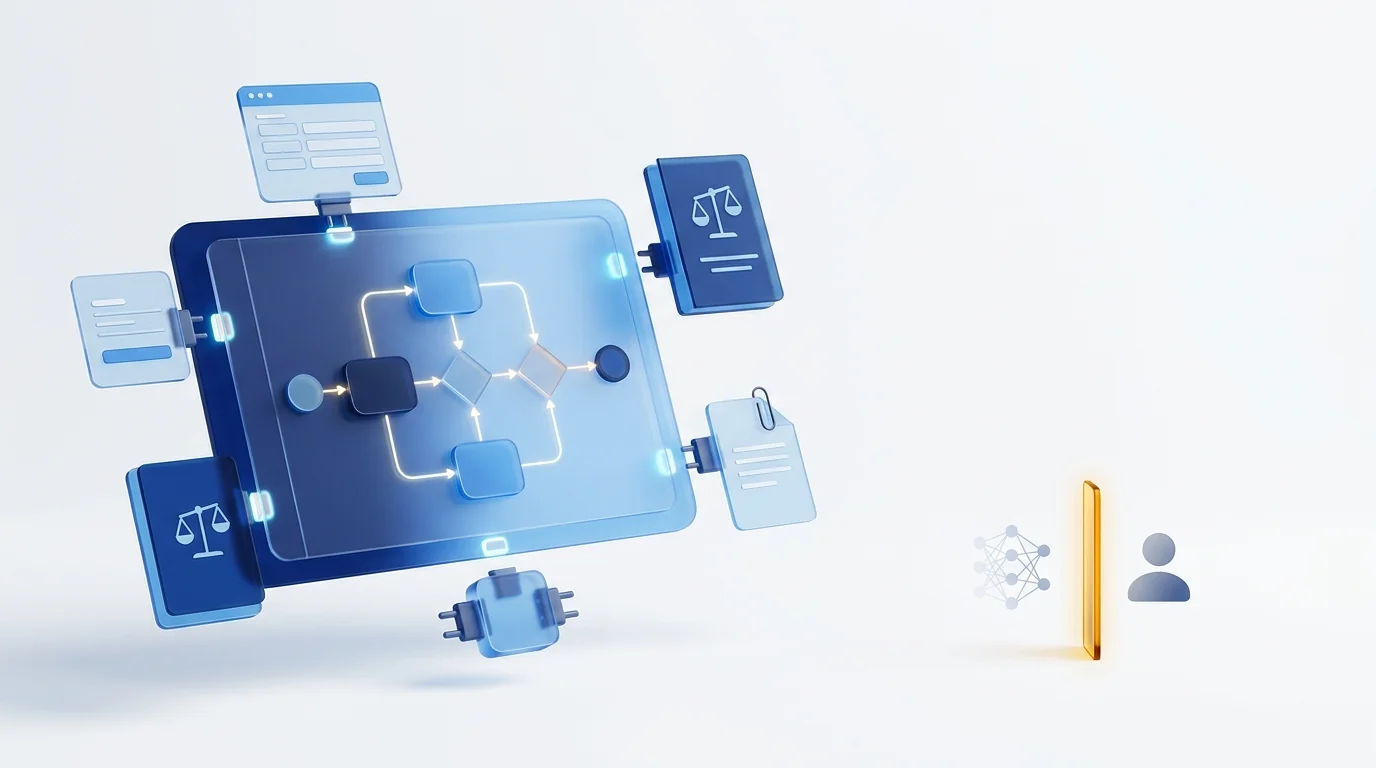
Low-code business process automation is running and improving end-to-end processes on a platform where analysts model the flow visually — usually in BPMN 2.0, the ISO/IEC 19510 standard — and configure forms, rules, documents and integrations instead of hand-writing most code. Unlike RPA (task bots) or iPaaS (data sync), it orchestrates people, systems and documents in one governed process.
What low-code business process automation is, and what it is not
It is a platform category, not a feature. A low-code BPA platform has three things a form builder or an integration tool does not: an executable process model (the diagram is the program, not documentation), a case that lives for days or weeks while people, systems and documents act on it, and a governance layer (versions, permissions, audit trail) around both. «Low-code» describes how you build on it: most of the work is visual configuration, and a controlled escape hatch (scripts, APIs, custom connectors) covers the rest.
The confusion comes from four neighbours that all automate something. This is where each one stops:
| Approach | What it automates | Who builds | Where it stops |
|---|---|---|---|
| No-code | Simple forms and linear approvals, entirely by configuration. | Business users. | The first custom integration, complex rule or document lifecycle: you cannot do it, or you buy another tool. |
| Low-code BPA | End-to-end processes: model, forms, rules, documents, integrations, people. | Process analysts and business teams; IT for integrations. | Highly bespoke user interfaces or algorithmic products that are not processes. |
| Pro-code (custom dev or a bare workflow engine) | Anything, written by developers. | Software engineers. | Every change is a development ticket; forms, audit, versioning and permissions must be built and maintained by you. |
| RPA | Individual tasks by imitating a person on a screen. | RPA developers. | Anything that needs a human decision, a waiting case or a changed screen. See how RPA complements BPM. |
| iPaaS (Zapier, Make and similar) | Event-driven data movement between SaaS apps. | Business users, IT. | Approvals, deadlines, escalations, documents and an audit trail: there is no case, only a trigger and an action. |
The practical test: if the thing you want to automate has a person who must say yes, a document that must be kept, and a deadline that must be enforced, you are buying business process automation. If it is «when X happens in app A, write Y in app B», you are buying integration, and you should pay integration prices.
The six capabilities that separate a BPA platform from a form builder
Six, and they must be native to the same product rather than stitched from partners. The demo question in the last column is the one that exposes the gap fastest.
| Capability | What «native» means | Ask in the demo |
|---|---|---|
| 1. BPMN modeler that executes | The diagram you draw is what runs: gateways, timers, parallel branches, sub-processes, error events. Import and export of standard BPMN 2.0 XML so the model is yours. Our BPMN 2.0 guide covers the symbols. | «Export this process as BPMN and open it in another tool.» |
| 2. Forms bound to process state | Each step shows only the fields that step needs, with validations, conditional visibility, attachments and signature, without a separate form product. | «Make this field mandatory only for amounts above a threshold, right now.» |
| 3. Business rules and decision tables | Who approves what, with which limits and deadlines, expressed as tables or DMN-style decisions the business can edit, not code the vendor edits. | «Change the approval limit for one department without redeploying.» |
| 4. Integrations | REST APIs, webhooks, events and file exchange in both directions; connectors for the ERP and CRM you actually run (SAP, Dynamics, Salesforce, your own). | «Call our ERP from a step and branch on the response.» |
| 5. Document handling | Capture, OCR, versioning, retention and electronic signature inside the case, so the invoice, contract or file travels with the process and is findable in five years. | «Show me the document trail of a closed case, with who signed and when.» |
| 6. AI agents with human-in-the-loop | An agent is a task on the BPMN canvas with bounded inputs, a proposal as output, and an approval gate a person controls; every proposal and decision is logged. See governed AI agents. | «Have the agent classify this document, then let me reject its proposal and show me the log.» |
Missing one of the six is not fatal by itself; it means you will buy it elsewhere and integrate it, and that integration becomes a permanent line in your cost model. Which is the point of the next two sections.
Low-code BPA vs RPA vs iPaaS vs custom development
They are not competitors for the same job, which is why comparing them on price alone misleads. Compare them on the shape of the work: how long the unit of work lives, whether a person is in it, and what happens when something changes.
| Criterion | Low-code BPA | RPA | iPaaS (Zapier, Make) | Custom development |
|---|---|---|---|---|
| Unit of work | A case that lives days or weeks. | A task that lives seconds. | A trigger and its actions, seconds. | Whatever you build. |
| People in the loop | Native: tasks, approvals, delegation, deadlines, escalation. | None; a human step breaks the bot. | Minimal (a Slack message, an e-mail); no task inbox. | Built by you. |
| Documents | Part of the case: capture, OCR, versions, signature, retention. | Moves files; does not manage them. | Passes attachments; does not manage them. | Built by you. |
| Integration style | APIs, events, connectors; screens only as a last resort. | Screens; fragile when the UI changes. | Pre-built SaaS connectors; weak on on-premise ERP. | Anything, at development cost. |
| Cost of a change | Configuration by the business, versioned. | Bot rework by RPA developers. | Cheap for the flow; impossible for what it cannot express. | A development ticket and a release. |
| Governance and audit | Native: who did what, when, on which version. | Bot logs. | Run history per zap or scenario. | Built by you. |
| Best for | Approvals, onboarding, invoices, contracts, claims, requests: anything with people and documents. | Legacy systems with no API, repetitive data entry. | SaaS-to-SaaS sync, notifications, lead routing. | Products and algorithms that are not processes. |
The healthy pattern in most mid-market companies is one BPA platform as the process layer, iPaaS for the SaaS plumbing around it, and RPA only where a legacy system has no API. For the longer version of the BPM-versus-RPA question, see BPM vs RPA: when to use each.
Total cost of ownership: the five lines that decide the business case
Licence price is the least informative line. Over three years, the cost of a process automation platform is dominated by what each additional process and each change costs, and those are the lines vendors rarely put on the quote. Model it like this:
TCO (3 years) = Subscription × 36 + First-process implementation + (Additional processes × marginal cost per process) + (Changes per year × 3 × cost per change) + Run cost × 36 + Exit cost
Fill it in with your own counts: how many processes you expect in year one and year three, and how many times a live process changes per year (approvers, fields, limits, steps). In our experience the change count is the number buyers underestimate most.
| Cost line | Low-code BPA | RPA | iPaaS | Custom development |
|---|---|---|---|---|
| Subscription / licence | Per user or per process; predictable. | Per bot; grows with each new task. | Per task volume; cheap until volumes grow. | None, or engine licence. |
| First process | Days to weeks; mostly configuration plus integrations. | Weeks per bot. | Hours for simple flows. | Months; you build forms, tasks, audit, versions first. |
| Each additional process | Low: reuses forms, rules, connectors, users. | Same as the first; little reuse. | Low, until the process needs people or documents. | High; each is a project. |
| Each change to a live process | Low: business edits, new version, no downtime. | Medium to high; screen changes break bots unexpectedly. | Low within the tool's limits. | High; ticket, release, regression. |
| Run cost | Included in SaaS; admin time. | Bot monitoring and rework. | Included; task overages. | Infrastructure, security patches, on-call. |
| Exit cost | Low if BPMN and data export are standard; high if proprietary. | High; bots are rewritten. | Low; flows are simple to recreate. | You own it; you also maintain it forever. |
Two rules follow. First, size the platform by the number of processes you will run in year three, not by the pilot. Second, put a number on exit before you sign: a platform that exports standard BPMN 2.0 and your case data keeps that line low; one that does not is charging you for lock-in later. If you want a quick, vendor-independent estimate of the savings side, the ROI calculator runs in two minutes with no signup.
A 10-point checklist for evaluating a low-code BPM platform
Run every shortlisted vendor through the same ten points, in a demo driven by your process rather than theirs. Score each one pass or fail; do not average.
- Executable BPMN 2.0 with import and export. Draw a gateway, a timer and a parallel branch, run it, export the XML. If the modeler is only a picture, stop here.
- Forms that follow the process. Conditional fields, validations, attachments and signature configured per step by a non-developer.
- Rules the business can edit. Approval limits, deadlines and routing in tables, changed on a live process without a redeploy.
- Integration with your core systems, not a logo wall. A live call to your ERP or CRM in the demo, with the response used in a decision.
- Documents inside the case. Capture, OCR, versioning, retention and signature that survive the case being closed and audited years later.
- AI with a gate. Any agent proposes; a person approves; the log shows both. Ask for the audit view, not the demo of the agent.
- Versioning and audit trail. Change a live process and show which cases run on which version, and who changed what.
- Time-to-change without IT. Change an approver, a field and a deadline; time it. This predicts your line four above better than any reference call.
- EU data residency and processor terms. Where data is stored and processed, sub-processors listed, an article 28 GDPR agreement offered, and the support team's language and time zone.
- Exit. Standard BPMN export, case data export in an open format, and a written answer to «what happens to our processes if we leave».
For a scored side-by-side of the platforms most often shortlisted in Europe, see our BPM low-code comparison 2026.
Common failure modes, and how to see them coming
Most failed process automation programmes fail for one of seven reasons, and each has an early symptom you can check before contract.
| Failure mode | Early symptom | Fix |
|---|---|---|
| Bought a form builder that calls itself BPM | The demo never shows a case waiting, escalating or being reassigned. | Checklist points 1 and 7 before anything else. |
| Automated the as-is, exceptions included | The first model has more exception paths than happy path. | Simplify first; automate the standard 80 per cent, route the rest to a person. |
| RPA used as the integration layer | Bots log into the ERP because «the API project is next year». | APIs and events for systems that have them; bots only for those that do not. |
| Citizen-developer sprawl | Dozens of flows nobody owns, duplicated forms, no naming rules. | A small centre of excellence: naming, ownership, review before publish, reusable components. |
| Sized by the pilot | The licence tier chosen for one process; the second process triggers a renegotiation. | Price the year-three process count up front. |
| AI agent with no gate | The agent writes to the ERP directly; nobody can say who approved a decision. | Proposal plus human approval plus log, always; see the AI Act section below. |
| Documents left outside | The process is automated but the invoices still live in shared folders and e-mail. | Documents travel with the case from capture to retention. |
If you are replacing an earlier tool rather than starting fresh, the pattern in how low-code BPM platforms are changing process automation explains why the second attempt usually succeeds where the first did not: the process layer is bought as a platform, not assembled from parts.
EU data residency and the AI Act: what to check before you sign
Two checks, both contractual before they are technical. The first is where your process data and documents live and who can be ordered to hand them over. Under the GDPR, the vendor is your processor (article 28) and any transfer outside the EU or EEA needs a valid mechanism under chapter V (articles 44 to 49): an adequacy decision, such as Decision (EU) 2023/1795 for US organisations certified under the EU-US Data Privacy Framework, or standard contractual clauses. The simplest position to defend is EU hosting with EU sub-processors, listed in the contract; ask for that list and for the support team's location, since support access is processing too.
The second check is the EU AI Act, Regulation (EU) 2024/1689, and it matters the moment an AI agent decides something about a person inside your process. Annex III lists the high-risk uses, and two of them sit in ordinary back-office workflows: employment and worker management (recruitment screening, task allocation, evaluation) and creditworthiness assessment. High-risk systems must be designed for human oversight (article 14) and their deployers carry their own duties (article 26): use as instructed, assign oversight to competent people, keep the logs, inform staff. These are the dates that apply today:
| AI Act obligation | Applies from | What it means for a BPA rollout |
|---|---|---|
| Prohibited practices (article 5) | 2 February 2025 | No emotion recognition at work, no social scoring in any process. |
| Transparency duties (article 50) | 2 August 2026 | People interacting with an AI step must be told it is AI; AI-generated content marked as such. |
| High-risk systems, Annex III (stand-alone uses such as HR and credit) | 2 December 2027 (deferred from 2 August 2026 by the Digital Omnibus on AI, approved by Parliament on 16 June 2026 and Council on 29 June 2026) | Human oversight, logging, deployer duties for any agent that scores candidates, allocates work or assesses credit. |
| High-risk systems, Annex I (AI embedded in regulated products) | 2 August 2028 (deferred from 2 August 2027) | Rarely relevant to back-office process automation. |
The deferral buys time for paperwork, not for design. An agent that only proposes, a person who approves, and a log that shows both is the architecture that satisfies article 14 whether or not your use case turns out to be high-risk, and it is far cheaper to build in from the first process than to retrofit in 2027. We go deeper in EU AI Act and process automation: is your workflow high-risk?
How Dokuflex solves it: the six capabilities on one platform, hosted in the EU
Dokuflex BPM low-code — Dokuflex, the AI low-code BPM platform — is built for EU mid-market teams that want the reach of an enterprise BPM without the multi-month project. Against the checklist above:
- Executable BPMN 2.0 editor. Drag and drop steps, decisions and approvals; standard BPMN 2.0 import, so a model built elsewhere (Bizagi included) is not rewritten.
- Forms and rules the business owns. Each step shows only what the user needs, with validations, signature and attachments; who approves what, with which limits and deadlines, is configured, not coded, and changed without IT.
- Integrations with your core systems. SAP, Microsoft Dynamics, Salesforce and your own ERP through REST APIs, webhooks, events or file exchange; see the integrations page.
- Documents inside the case. Document management and digital signature are part of the same platform, so the invoice or contract travels with the process.
- Governed AI agents. Agents run as tasks on the BPMN canvas, reason over the process context and leave an audit trail for the human supervisor; the approval gate is a step you control.
- Governance and residency. Version control, audit trail and real-time metrics; phased rollout; data hosted in EU datacentres; product, documentation and support in English and Spanish.
A typical start is one focused workflow, validated in a sandbox with real users, then scaled in phases. That is also the cheapest way to fill in the TCO model with your own numbers instead of ours.
See how the Dokuflex low-code BPM platform covers the checklist →
Frequently asked questions
What is the difference between low-code and no-code business process automation? +
No-code tools let a business user build simple flows entirely through configuration, with a hard ceiling: when the process needs a custom integration, a complex rule or a document lifecycle, you either cannot do it or you buy another tool. Low-code business process automation keeps the visual model for the 80 to 90 per cent that is standard and leaves a controlled escape hatch (scripts, APIs, custom connectors) for the rest, so one platform covers the whole process without a rewrite.
Is low-code business process automation the same as RPA? +
No. RPA automates individual tasks by imitating a person on a screen: copy this field, click that button. Low-code BPA orchestrates the whole process, including the people who approve, the documents that move and the systems that are called. RPA bots can be one step inside a BPA process; they cannot replace the process layer, and they break whenever the screen they imitate changes.
Can Zapier or Make replace a BPM platform? +
For moving data between SaaS apps when something happens, yes, and they are excellent at it. For a process with approvals, deadlines, exceptions, documents and an audit trail, no: iPaaS tools have no concept of a case that waits days for a manager, escalates when a deadline passes or must show an inspector who approved what. Many companies run both: iPaaS for app-to-app sync, a BPA platform for the governed process.
How much does low-code business process automation cost? +
Vendor prices vary too much to quote a number, so model total cost of ownership over three years with five lines: subscription, implementation of the first process, marginal cost of each additional process, cost per change to a live process, and exit cost. Low-code BPA typically wins on lines three and four (each new process and each change is configuration, not a project); custom development wins on line one and loses on the rest; RPA looks cheap until bot maintenance appears on line four.
Do I need developers to run a low-code BPM platform? +
Not for the day-to-day. Process analysts and business teams model flows, forms, rules and approvers. Developers or the vendor's team are needed for new integrations with core systems (ERP, CRM) and for the small share of logic that does not fit the visual model. The practical test in a demo: ask to change an approver, a field and a deadline on a live process and time how long it takes without IT.
Does the EU AI Act apply to AI agents in my workflows? +
It depends on what the agent decides. Regulation (EU) 2024/1689 classifies certain uses as high-risk in Annex III, including employment and worker management decisions and creditworthiness assessments; those carry human oversight (article 14) and deployer duties (article 26). After the Digital Omnibus on AI adopted in June 2026, the Annex III high-risk obligations apply from 2 December 2027 and the Annex I ones from 2 August 2028, while the article 50 transparency duties apply from 2 August 2026. Whatever the classification, an agent that only proposes and a person who approves, with a logged trail, is the design that survives review.
Sources
- OMG — Business Process Model and Notation (BPMN) 2.0, the specification behind executable process models and their XML interchange format.
- ISO/IEC 19510:2013, the international standard adopting BPMN 2.0.
- OMG — Decision Model and Notation (DMN), the standard for business decision tables referenced in capability 3.
- Regulation (EU) 2024/1689 (Artificial Intelligence Act): article 5 (prohibited practices), article 14 (human oversight), article 26 (obligations of deployers), article 50 (transparency), article 113 (application dates) and Annex III (high-risk uses).
- Regulation (EU) 2016/679 (GDPR): article 28 (processor) and chapter V, articles 44 to 49 (international transfers).
- Commission Implementing Decision (EU) 2023/1795 of 10 July 2023, adequacy of the EU-US Data Privacy Framework.
- Digital Omnibus on AI (deferral of high-risk deadlines): Freshfields, EU AI Act unpacked #34 (10 July 2026) and Gibson Dunn, EU AI Act Omnibus agreement. Check the consolidated text on EUR-Lex for the final wording.
Run the 10-point checklist on a real process, with your data in the EU
BPMN 2.0 editor, adaptive forms, business rules, ERP and CRM integrations, document management and governed AI agents on one platform. Start with one workflow and scale in phases.