Dokuflex app for iPhone and Android: clock in, sign and manage expenses from your phone.
Dokuflex is the business app to clock in and out, sign documents, scan receipts with OCR for expense reports, and handle leave, approvals and documents from your phone. Your company sets it up on the Dokuflex platform and everyone carries it on their phone or tablet.
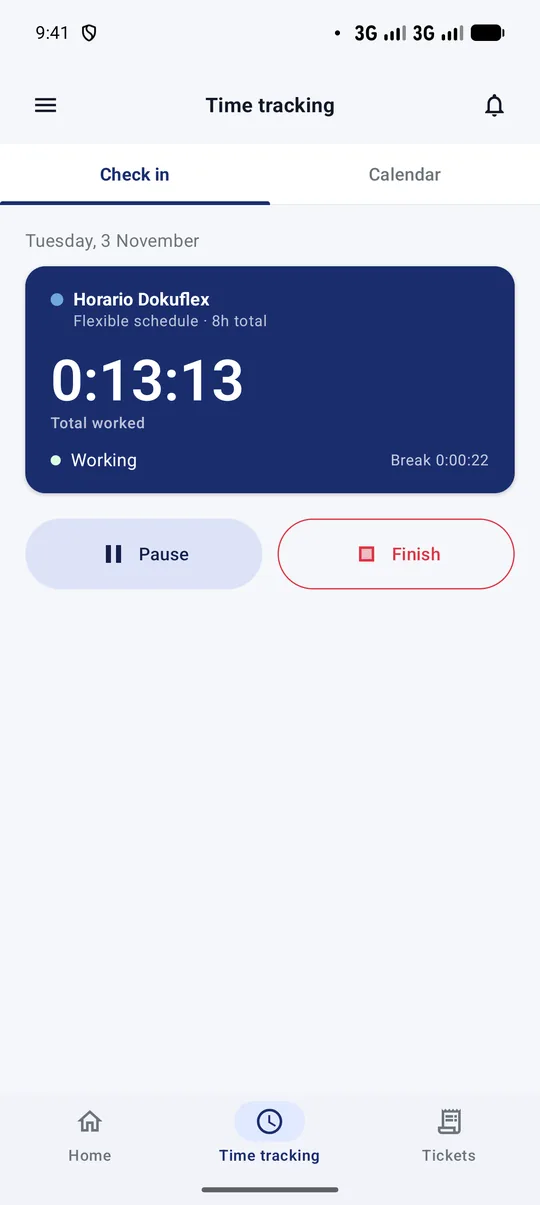
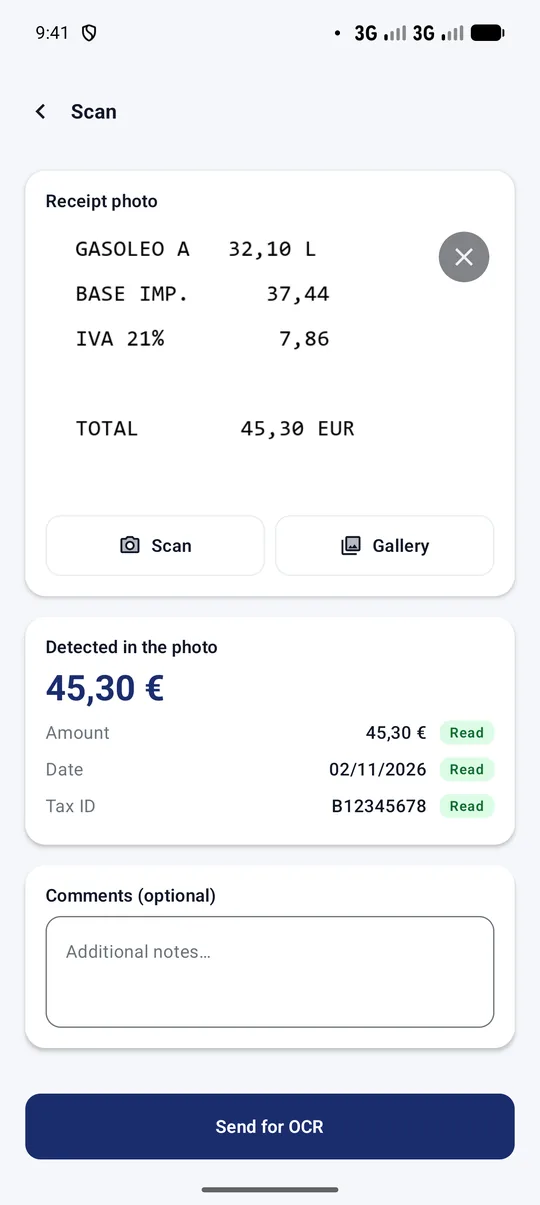
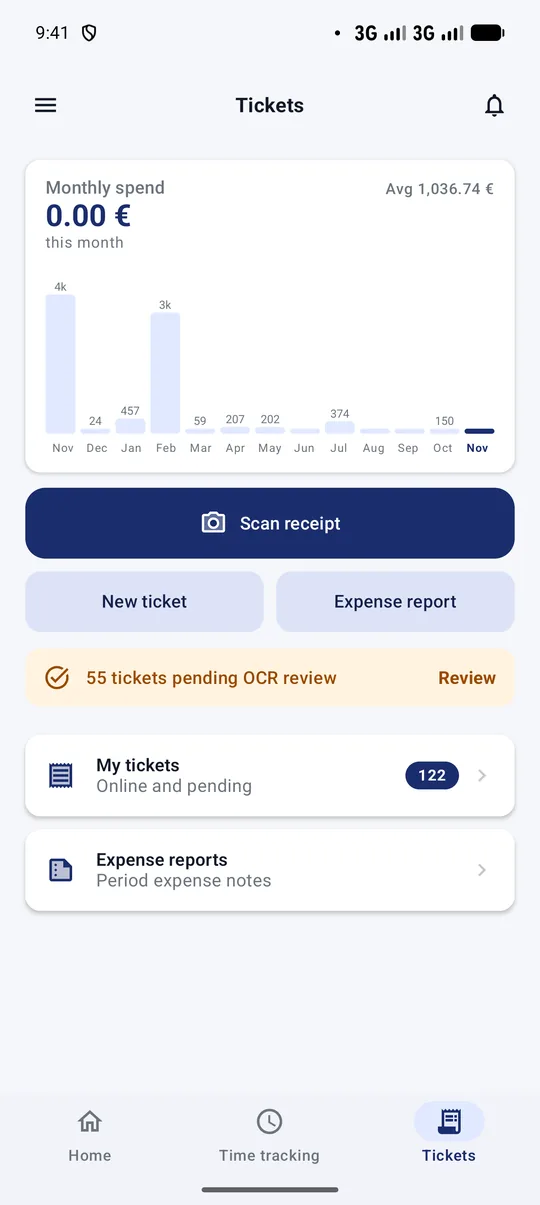
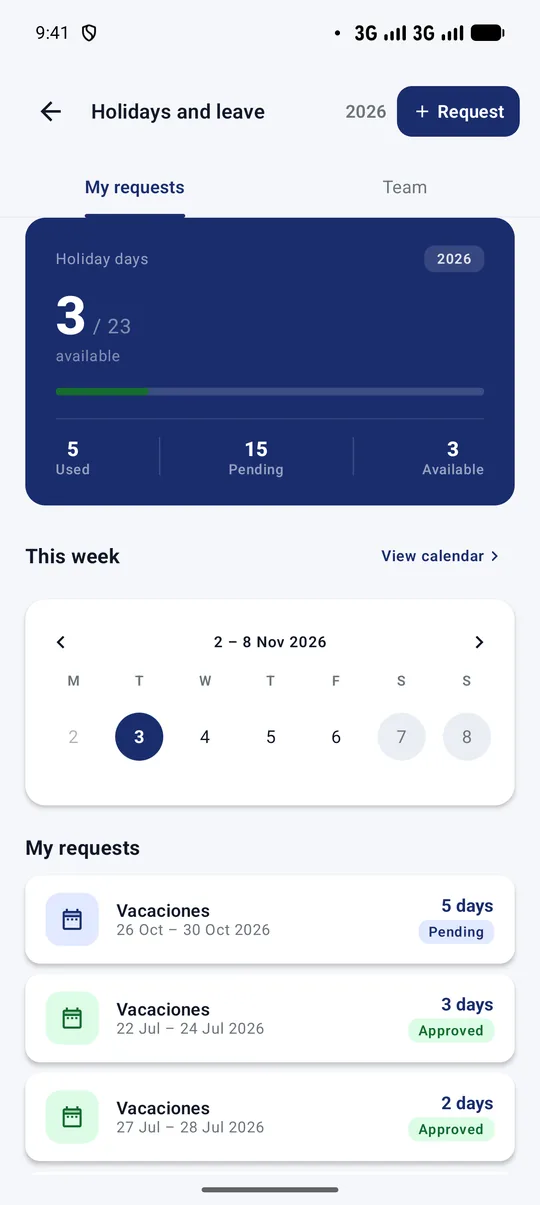
Clock in: live time worked, status and breaksScan result: amount, date and tax ID readTickets: monthly spend and scanning as the main actionLeave: balance, week view and requests
How to start using the app in 3 steps
1
Install the app
Scan the QR code for your system or search for "Dokuflex" on Google Play (Android) or the App Store (iPhone and iPad).
2
Connect to your company
Sign in with the details your administrator gives you. On Android, the Dokuflex server URL is entered in Preferences, on the sign-in screen.
3
Sign in
Use your Dokuflex user, or Google or Microsoft if your company uses them. You will see the time clock, signatures, expenses and the rest according to what your company has enabled.
Requirements
Android
Android 8.0 or later, on phone and tablet.
iPhone and iPad
iOS 18.6 or later.
Languages
English, Spanish, Catalan and French. On iPhone, also German and Russian.
Account
An active user on your company's Dokuflex platform.
App price
Free download.
FAQ
Frequently asked questions about the app
What is the Dokuflex app?
Dokuflex is the mobile app of the Dokuflex business platform: it lets you clock in and out, sign documents, scan receipts with OCR for expense reports, approve processes, browse documents and request leave from iPhone, iPad or Android.
How do I install the app with the QR code?
Open your phone's camera, point it at the code for your system (Android or iPhone) and tap the link that appears. It takes you to the Dokuflex listing on Google Play or the App Store; from there it installs like any other app.
Is there a Dokuflex app for iPhone and iPad?
Yes. Dokuflex is on the App Store for iPhone and iPad with iOS 18.6 or later, with the time clock, expense reports, signing, leave, processes, documents, secure file transfer and one-time secrets.
How do the iPhone and Android apps differ?
Both cover the time clock, expenses, signing, leave, processes, documents, secure file transfer, certified email and one-time secrets. On Android you can clock in without signal and the signature stores biometric evidence of the stroke. On iPhone you can confirm each clock-in with Face ID and clock in from Siri or Spotlight, and the app is also available in German and Russian.
Can the app be used for mandatory working-time records?
Yes. The app records every clock-in, break and clock-out with date and time on your company's server, designed for Spain's mandatory time-recording rules (RDL 8/2019).
Can I clock in without signal?
On Android, yes: when offline, Dokuflex stores the entry on your phone and sends it as soon as you are back online. On iPhone, if the network fails while clocking in, the app retries sending it.
How do I sign a PDF on my phone with Dokuflex?
Open the pending document, draw your signature with your finger and confirm: the app sends it back signed to the server.
How do I scan a receipt for an expense report?
Take the photo of the receipt from Tickets. On Android, the camera crops the receipt and Dokuflex fills in amount, date and tax ID on the device; on iPhone, AI extracts category, date, net amount, VAT and tax ID. You just review and send.
What do I need to use the app?
An active user on your company's Dokuflex platform. If your company doesn't use Dokuflex yet, it can sign up at dkf.dokuflex.com/register. On iPhone, freelancers and professionals can sign up from the app itself, which has a free mode.
Where is my data stored?
On your organisation's Dokuflex server, over an encrypted HTTPS connection. Dokuflex does not share your data with third parties.
Your company in your pocket
Install the app and sign in with your Dokuflex user. Company not on Dokuflex yet? Create a free account.