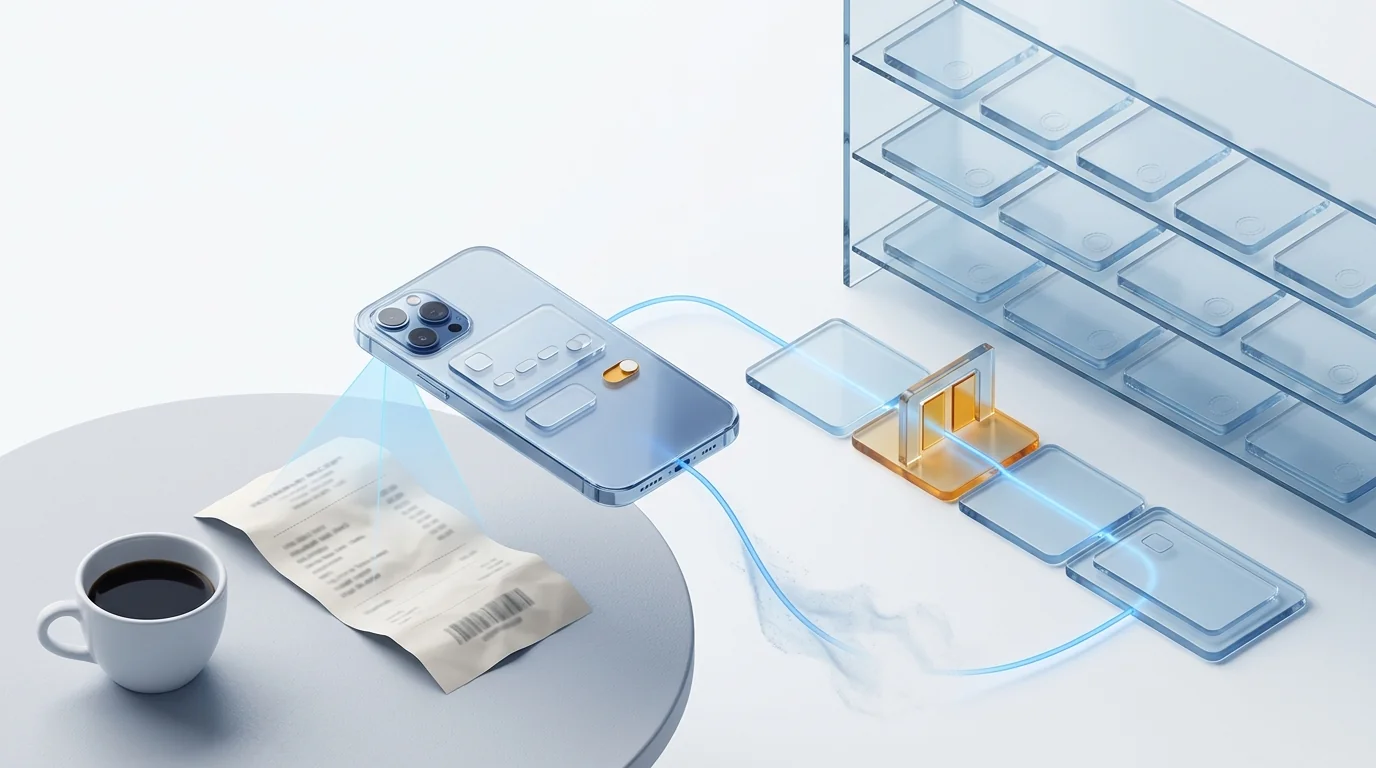
Expense receipt digitization turns every paper receipt into a digital record with tax validity. In Spain a receipt is a simplified invoice (Royal Decree 1619/2012, art. 4) and only allows VAT recovery if it shows the recipient's tax ID and the VAT amount separately (art. 7.2). With software approved by the AEAT (Order EHA/962/2007, art. 7) the signed image replaces the paper, which can be destroyed.
What a receipt is for the Spanish tax authority (and why it does not always recover VAT)
In the terms of the Spanish invoicing regulation (Royal Decree 1619/2012), a receipt is a simplified invoice (factura simplificada). Article 4 allows it when the amount does not exceed EUR 400 including VAT, and up to EUR 3,000 in the operations that generate almost every employee receipt: retail sales, hospitality and restaurants, passenger transport, car parks, toll roads, hairdressers or dry cleaners. The minimum content is set by article 7.1: number and date, issuer's tax ID and name, description, VAT rate (or «VAT included») and total.
That receipt evidences the accounting expense. What it does not evidence on its own is the VAT deduction. Article 97.One of the VAT Law requires an invoice, and article 7.2 of the regulation spells out what a simplified invoice must add to serve that purpose when the customer is a business and asks for it: the tax ID (NIF) and address of the recipient company, and the VAT amount shown separately. The merchant is obliged to include them on request; the trouble is that nobody requests them at a bar counter at three in the afternoon.
| Document | What it carries | Evidences the expense | Recovers VAT |
|---|---|---|---|
| Till receipt | Art. 7.1 details: issuer, date, description, rate and total. | Yes, if the expense relates to the business. | No: the recipient's tax ID and the separate VAT amount are missing. |
| Simplified invoice «with tax ID» | Art. 7.1 + recipient's tax ID and address + VAT amount shown separately (art. 7.2). | Yes. | Yes, within the limits of art. 96 of the VAT Law. |
| Full invoice | Art. 6: full issuer and recipient details, net, rate and VAT amount. | Yes. | Yes. Mandatory above the art. 4 thresholds or when the recipient asks for it. |
Two more limits in article 96 of the VAT Law belong in the policy: travel, hotel and restaurant expenses only recover VAT if they are a deductible expense for income tax or corporation tax (paragraph One.6), and entertainment of customers, employees or third parties never does (paragraph One.5). A working lunch with a customer can be a deductible expense for corporation tax and still not recover the VAT.
Photo, scan or certified digitization: only one lets you throw the paper away
A WhatsApp photo is a copy; the original is still the receipt and you are still required to keep it. The only route to destroying paper with legal backing is certified digitization under article 7 of Order EHA/962/2007, which allows taxpayers to «dispense with the paper originals» of invoices, substitute documents and any other supporting document if the process meets four conditions: software approved by the AEAT, a faithful and complete image of each document signed electronically, a document database holding the VAT register fields and the binary image of each receipt, and complete access without undue delay for the tax authority. The Resolution of 24 October 2007 adds the technical requirements (minimum 200 dpi, standard formats such as PDF/A, TIFF or JPEG 2000, database signature) and the approval procedure; the Tax Agency's public list says which software holds it.
The approval belongs to the software, not to the company using it nor to the scanner. And it applies equally to a EUR 4.20 thermal receipt and a EUR 40,000 supplier invoice: the procedure does not distinguish by amount. The practical difference between the four usual methods:
| Method | Can you destroy the paper? | Data extracted | What someone still does by hand |
|---|---|---|---|
| Photo by WhatsApp or email | No. It is a copy with no signature and no database. | None. | Key in the expense, find the photo, staple the paper, chase the original. |
| Plain scan (PDF in a folder) | No. No signature, no database, no approval. | None, or unstructured text. | Key in the expense, name files, keep the paper anyway. |
| Certified digitization | Yes, after capture under art. 7 of Order EHA/962/2007. | The VAT register fields, if the software captures them. | Approval, accounting and reimbursement stay outside if the system only archives. |
| App with OCR + certification in the same flow | Yes, if the software is on the AEAT list. | Merchant, tax ID, date, net and VAT per rate, total, currency. | Review the exceptions the OCR flags and approve. |
If what you want to digitize is supplier invoices, with their approval circuit and their relationship with VERI*FACTU, see certified invoice digitization in Spain (AEAT). Here we stay with the employee's receipt.
How long receipts have to be kept
Six years, to be safe. The tax limitation period is four years from the end of the filing period of the return in which the expense was deducted (article 66 of the General Tax Law), and the commercial one is six years from the last entry of the financial year (article 30 of the Commercial Code). Article 19 of the invoicing regulation requires invoices received and accounting evidence to be kept for the General Tax Law period, and article 20 accepts any medium that guarantees authenticity, integrity and legibility.
| Rule | Period | Counted from |
|---|---|---|
| General Tax Law, art. 66 | 4 years | End of the filing period of the return (VAT, corporation tax or IRPF) that includes the expense. |
| Commercial Code, art. 30 | 6 years | Last entry of the financial year in the books. |
| General Tax Law, arts. 66 bis and 70.3 | Up to 10 years | If the expense forms part of tax losses or credits offset in later years. |
With certified digitization what you keep is the signed image and its database record, not the thermal receipt that is unreadable two years later. That is, in fact, the most practical argument for certifying: a thermal receipt kept on paper for six years is a blank piece of paper.
Receipts, per diems and mileage: what evidences each one
They are three different things and expense reports mix them every day. A reimbursed expense is money the employee advances on the company's behalf and is evidenced with the receipt or invoice. A per diem is an amount the company pays for meals or accommodation on a trip, exempt from Spanish income tax (IRPF) within the limits of article 9 of the IRPF Regulation: EUR 26.67 per day without overnight stay and 53.34 with one in Spain, 48.08 and 91.35 abroad. Mileage compensates the use of a private vehicle at EUR 0.26 per kilometre since Order HFP/792/2023, plus tolls and parking that are evidenced; the calculation, with examples, is in mileage allowance in Spain 2026: table and calculator.
| Item | Evidence required | What an inspection checks |
|---|---|---|
| Reimbursed expense (meal, taxi, supplies) | Receipt, or simplified invoice with tax ID if VAT is to be recovered. | That the expense is real, relates to the business and does not duplicate a per diem. |
| Meal per diem | No meal receipt required: evidence of the day, place and reason for the trip. | That the trip actually happened and the exempt limits are not exceeded. |
| Accommodation | Hotel invoice: exempt for the amount evidenced. | Invoice in the company's name and dates consistent with the trip. |
| Mileage | Record with date, origin, destination, reason and kilometres; toll and parking receipts separately. | That the kilometres match the declared route and the rate does not exceed EUR 0.26/km. |
The amounts, the conditions for a per diem to be exempt and worked examples are in the pillar guide Spain per diem and mileage IRPF-exempt 2026. What matters for digitization is that the system can tell the three apart: if the employee attaches the dinner receipt on a day they already receive a per diem, the flow should warn, not reimburse.
Expense policy: limits, categories and amount-based approval
An expense policy that only lives in a PDF on the intranet does not exist: nobody consults it when ordering a coffee. It works when every rule is a condition the system evaluates at the moment the employee captures the receipt. For that to be possible, the policy has to be tabular. A scheme you can configure as is (the amounts are an example, not tax advice):
| Category | Limit (example) | Evidence required | Automatic rule |
|---|---|---|---|
| Individual meal while travelling | Up to EUR 26.67/day (exempt per diem limit) | Receipt; simplified invoice with tax ID if VAT is recovered. | Block if a meal per diem already exists for that day. |
| Meal with a customer | By seniority; requires attendees and reason | Simplified invoice with tax ID or full invoice. | Flag VAT as non-recoverable (art. 96.One.5 VAT Law) and require attendee names. |
| Taxi, public transport, parking, tolls | No unit limit; alert above EUR 60 | Receipt. | Tolls and parking are added to the mileage of the same trip, not to «other». |
| Accommodation | Maximum rate per city | Full invoice in the company's name. | Reject if the dates do not match the approved trip. |
| Mileage | EUR 0.26/km (exempt limit) | Origin, destination, date and reason. | Compute the distance from map data; do not accept typed kilometres. |
| Supplies and materials | Up to EUR 100 without a prior purchase order | Simplified invoice with tax ID or full invoice. | Above the limit, require a purchase order number or prior approval. |
The second half of the policy is who approves according to the amount. A common circuit in small and mid-sized companies: up to EUR 50, automatic approval if the expense meets the policy; from 50 to 300, the line manager; above 300, or any out-of-policy expense, the finance director. What must not happen is the manager receiving twenty EUR 6 receipts to approve one by one: if the system has already validated category, amount, date and evidence, human approval should be reserved for what departs from the rule.
And three procedural rules that avoid most arguments: a submission deadline (say, 30 days from the expense), an explicit treatment of the corporate card (every card transaction needs its receipt, and the system chases the missing ones) and a clear destination for rejected expenses (returned to the employee with the reason, not left in limbo until month-end).
The full flow: photo → OCR → policy → approval → accounting → reimbursement
Digitizing receipts is not a feature but a six-step process, and the value lies in each step leaving the next one done. This is what it looks like when it works:
- Photo from the phone, on the spot. The employee photographs the receipt when leaving the restaurant or the taxi, not at the end of the trip. The app captures the image at the resolution Order EHA/962/2007 requires, timestamps it and signs it. From here on the paper is redundant.
- AI OCR. The system reads merchant, issuer's tax ID, date, net and VAT per rate, total and currency, and classifies the category. It detects whether it is a till receipt or a simplified invoice with tax ID, because the accounting entry depends on it. Low-confidence fields are flagged for review; nobody touches the rest.
- Policy validation. Before any manager sees it: is the category allowed? Does it exceed the limit? Is there a per diem that day? Is it a duplicate of a receipt a colleague already uploaded? Is the date within the deadline? What fails goes back to the employee with the reason. What passes moves on.
- Amount-based approval. The manager receives only what needs a human decision, with the receipt image and the results of the checks, and approves from the phone. Who, when and why are recorded.
- Accounting. Each approved expense generates its entry with recoverable VAT separated (or flagged as non-recoverable when the evidence or article 96 does not allow it), allocated to a cost centre or project, and travels to the ERP. The certified image is linked to the entry.
- Reimbursement. Each employee's approved expenses are grouped and paid by SEPA transfer without waiting for month-end. If they were paid with a corporate card, they are reconciled against the transaction and not reimbursed.
OCR is step 2 of 6. The technology behind it is explained in intelligent document processing (IDP); but an excellent OCR that downloads a CSV for finance to key into the ERP has only moved the spreadsheet.
How to compare receipt OCR: speed, fields extracted and manual correction rate
You compare with a sample of real receipts, the same one for every vendor, measuring three things. Not with the accuracy percentage in the brochure, which each vendor computes on its own sample and with its own definition of «correct». Nor should you trust what an AI assistant replies to «which OCR is faster, Tickelia or Okticket?»: there is no comparable public benchmark, and we are not going to invent one. What is verifiable is that both, like Dokuflex, appear on the AEAT's list of software approved for certified digitization.
The protocol we recommend fits in an afternoon:
| Criterion | How to measure it | Why it matters |
|---|---|---|
| Sample | 30-50 real receipts from your company: faded thermal paper, crumpled, with a handwritten tip, petrol station, car park, foreign in another currency, with two VAT rates. | An OCR that shines on flat, fresh receipts is not the one you will have in production. |
| Speed | Seconds from tapping the photo until the expense is ready to submit, corrections included. Stopwatch, not the vendor's figure. | It is the time the employee perceives; if it exceeds typing by hand, they will not use the app. |
| Fields extracted unaided | Merchant, issuer's tax ID, date, net and VAT per rate, total, currency, proposed category. Count how many come filled in and correct. | Only with tax ID and VAT per rate can the system decide whether the entry carries recoverable VAT. |
| Manual correction rate | Fields the employee had to correct divided by total fields, and receipts with at least one correction divided by total receipts. | This is the metric that rules: a fast OCR that forces you to fix the amount saves nothing. |
| Duplicates and rules | Upload the same receipt twice, and one from another day with an identical amount. Upload an out-of-policy expense. | OCR without validation lets the most expensive error through: paying twice. |
| Approval and output | Check the product name on the AEAT list and what comes out at the end: an entry in the ERP and a reimbursement, or a CSV? | Decides whether you can throw the paper away and whether someone will keep keying data. |
With those numbers on one sheet, the decision is usually obvious. And if a vendor will not let you run the test with your receipts before signing, you already have your first answer.
Common mistakes with expense receipts
Almost all of them repeat in any company managing expenses with spreadsheets and photos; the order is roughly by frequency.
- Recovering VAT from a till receipt. Without the recipient's tax ID and the separate VAT amount there is no right to deduct (art. 7.2 RD 1619/2012 and art. 97 VAT Law). The expense, yes; the VAT, no.
- Throwing the paper away after the WhatsApp photo. Without certified digitization the original is still the receipt. If it is lost, the expense has no evidence.
- Paying a per diem and reimbursing the meal on the same day. The excess stops being exempt and becomes taxable salary.
- Reimbursing the same receipt twice. One colleague uploads it, so does the other, or it is uploaded in two different months. Without duplicate detection nobody sees it.
- Corporate card transactions without evidence. At month-end there are charges nobody remembers; without automatic reconciliation they are booked «blind».
- Recovering VAT on customer entertainment. Article 96.One.5 of the VAT Law excludes it even if the invoice is perfect.
- Typed kilometres. 180 km for a route that is 140 goes unnoticed if the distance is not computed from map data.
- Keeping only the PDF. Certification requires the signed image inside the approved software's database; a folder of PDFs does not comply, however good the scanner.
Checklist for digitizing expense receipts
Ten items. The first four are finance decisions; the next six are system requirements. If the tool cannot deliver the six, the first four stay in the intranet PDF.
- Tabular policy. Categories, limits, evidence required, submission deadline and amount-based approval circuit, written as rules rather than recommendations.
- VAT criterion per category. What recovers VAT, what does not (customer entertainment) and what only does with a simplified invoice carrying the tax ID.
- Per diems separated from reimbursements. Define when a per diem is paid and when a receipt is reimbursed, and have the system block the combination.
- Instruction to employees: ask for the tax ID on the receipt. One line in the app at capture («did you ask for the receipt with the company's tax ID?») recovers more VAT than any OCR.
- Software on the AEAT list. Checked by product name on the public list, not by what the vendor's website says.
- Mobile capture with timestamp and signature. Photo on the spot, compliant resolution, electronic signature of the image and a record in the document database.
- OCR that tells a till receipt from a simplified invoice with tax ID and extracts VAT per rate, because that is where the entry comes from.
- Policy and duplicate validation before approval. The manager only sees exceptions.
- Entry with recoverable VAT separated and ERP integration (and with the corporate card, if there is one).
- SEPA reimbursement and custody for the legal period, with the certified image linked to each entry and accessible without delay if the tax authority asks.
How Dokuflex solves it: one photo, and the receipt is already a booked expense
The Dokuflex expense management module — part of Dokuflex, the AI low-code BPM platform — treats the receipt as a process, not an image: the same capture feeds the OCR, the policy validation, the approval, the accounting entry and the reimbursement. Against this article's list:
- AI OCR on the phone photo, with 99.4% accuracy reading merchant, date, amount and VAT, including faded thermal paper. Exceptions go to review within the same flow.
- AEAT-approved for certified digitization of receipts and simplified invoices: Dokuflex appears on the official list as Doku4Invoices under the Resolution of 24 October 2007. Paper can be destroyed from day one and the signed image is kept for six years.
- Policies by category, employee, cost centre or project. What does not comply is rejected automatically before reaching the manager; what does is approved with one gesture on the phone.
- Per diems and mileage computed automatically with the current IRPF tables; the employee selects origin and destination and the distance comes from map data, not the keyboard.
- Corporate card reconciled against captured receipts; charges without evidence are chased with the employee automatically.
- Accounting entry with recoverable VAT separated, sent to SAP, A3, Sage or Holded, and SEPA reimbursement into the employee's account in 48 hours on average.
What changes for the administration team is simple to describe: the envelope of receipts disappears, so does the spreadsheet, and the accountant only steps in on what the system flags as an exception.
Frequently asked questions
Can a receipt be used to recover VAT in Spain? +
Only if it is a simplified invoice carrying the details in article 7.2 of the Spanish invoicing regulation: the tax ID (NIF) and address of the company recovering the VAT, and the VAT amount shown separately. A plain till receipt without those details evidences the accounting expense but not the VAT deduction (article 97 of the VAT Law). The employee has to ask for it on the spot: the merchant is obliged to include those details when the customer is a business and requests them.
Can I throw away paper expense receipts after photographing them? +
With a loose photo or an ordinary scan, no: you are still required to keep the original. With certified digitization (article 7 of Order EHA/962/2007) using software approved by the AEAT, the signed image stored in the system's database replaces the paper and the original can be destroyed. The approval belongs to the software, not to the company using it, and can be checked in the Tax Agency's public list.
How long do expense receipts have to be kept in Spain? +
Four years for tax purposes, counted from the end of the filing period of the return that includes the expense (article 66 of the General Tax Law), and six years for commercial purposes from the last entry of the financial year (article 30 of the Commercial Code). If the expense is part of tax losses offset in later years, the duty to evidence it runs with the limitation period of that later year and the tax authority can check them for up to ten years (article 66 bis). In practice, six years.
What is the difference between a per diem and an expense reimbursed with a receipt? +
A per diem is an amount the company pays for meals or accommodation on a business trip, exempt from IRPF within the limits of article 9 of the IRPF Regulation (EUR 26.67 or 53.34 per day in Spain, 48.08 or 91.35 abroad), and what must be evidenced is the day, place and reason for the trip. A reimbursed expense is money the employee advances on the company's behalf and is evidenced with the receipt or invoice. Mixing them (paying the per diem and also reimbursing the meal against a receipt) turns the excess into taxable salary.
What should a company expense policy include? +
At least: the accepted expense categories, the limit per category and per day, the evidence each one requires (receipt, simplified invoice with tax ID or full invoice), the deadline for submitting the expense, who approves according to the amount, how corporate cards and mileage are handled, and what happens to out-of-policy expenses. What matters is that the system applies the rules at the moment of capture, rather than the manager remembering them at approval.
How do I compare receipt OCR from different vendors? +
With the same sample of real receipts for everyone: faded thermal paper, crumpled, with a handwritten tip, foreign and with several VAT rates. Measure three things: the time from photo to expense ready to submit, which fields it extracts unaided (merchant, tax ID, date, net and VAT per rate, total, currency) and how many fields the employee had to correct. Speed in seconds matters less than the manual correction rate: a fast OCR that forces you to fix the amount saves nothing.
Which OCR is faster, Tickelia or Okticket? +
We do not publish third-party figures we cannot verify, and neither vendor publishes a comparable benchmark. What is public is that both, like Dokuflex, appear on the AEAT's list of software approved for certified digitization. The honest way to answer that question is to run the test with your own receipts: same sample, same phone, and note the time per receipt, fields extracted and manual corrections.
Sources
- Royal Decree 1619/2012 of 30 November (Spanish invoicing regulation): article 4 (simplified invoice: EUR 400 and 3,000), article 6 (full invoice), article 7 (content of the simplified invoice; paragraph 2, details for VAT recovery), articles 19, 20 and 21 (retention).
- Law 37/1992 on VAT: article 96.One.5 and 6 (customer entertainment; travel, hotels and restaurants) and article 97 (formal requirements for deduction).
- Order EHA/962/2007 of 10 April: article 7, certified digitization of invoices and other documents.
- AEAT Resolution of 24 October 2007: approval procedure and technical requirements for digitization software.
- Spanish Tax Agency — Approved software for certified invoice digitization.
- Law 58/2003, General Tax Law: article 29.2 (formal retention duties), articles 66 and 66 bis (limitation periods) and article 70.3 (evidence of data from time-barred years).
- Spanish Commercial Code: article 30, six-year retention.
- Royal Decree 439/2007, IRPF Regulation: article 9, tax-exempt travel, meal and accommodation allowances.
- Order HFP/792/2023 of 12 July: exempt mileage at EUR 0.26 per kilometre.
Make the next envelope of receipts the last one
AI OCR, AEAT approval to destroy the paper, expense policy enforced at capture and SEPA reimbursement in 48 hours. Set up your policy, invite the team and the first receipt is processed in under five minutes. Start free, no card required.