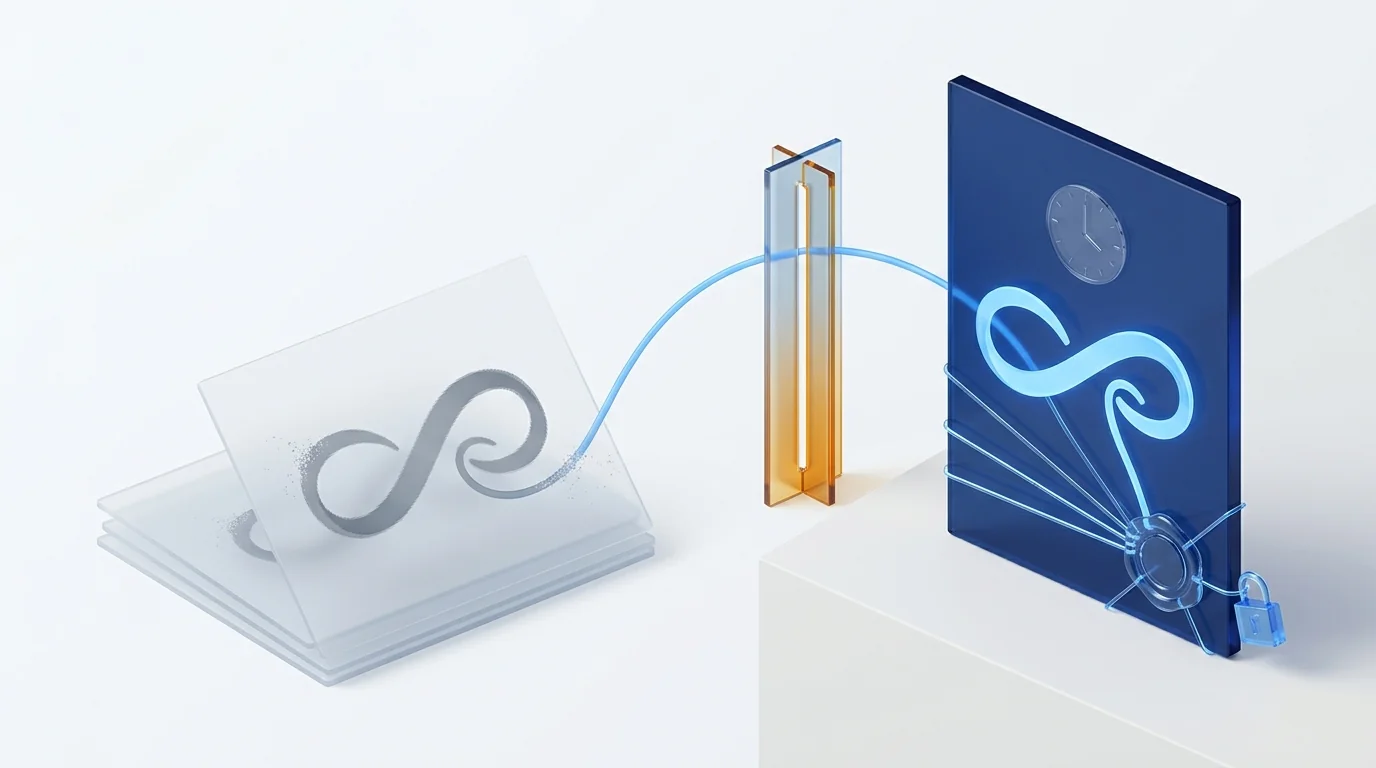
A digitized signature is the image of a handwritten signature, scanned or drawn on a screen: it neither identifies the signer nor protects the document. An electronic signature, governed by Regulation (EU) No 910/2014 (eIDAS), does have legal effect at all three levels, and the qualified level is equivalent to a handwritten signature (Article 25(2)). “Digital signature” is the colloquial name for the certificate-based variant.
What a digitized signature is (and why it gets confused with the others)
A digitized signature is a handwritten signature turned into an image. It reaches a company by two routes: someone scans their signature on paper and saves it as a PNG to paste into any document, or someone draws their signature with a finger or mouse on a screen and the application only keeps the resulting drawing. In both cases the result is the same: a graphic.
That graphic has three shortcomings that disqualify it as serious evidence:
- It does not identify the signer. Anyone with access to the file can paste that image into another document. Nothing links the image to a specific person at a specific moment.
- It does not protect the document. If someone changes a figure in the contract after “signing” it, the image is still there, identical, without flagging the alteration.
- It leaves no evidence. There is no record of who signed, when, from where or with which device.
The confusion comes from the name. “Digitized” sounds like “digital”, and “digital” sounds like “electronic”, so many companies believe that turning the signature into an image already makes it an electronic signature. It does not: digitizing changes the medium; signing electronically produces proof.
Customer contracts, HR addenda, consents, minutes. In 15 minutes we sign a real document with you using an advanced signature from a phone and show you the evidence left behind: identity, stroke biometrics, timestamp and document hash.
What an electronic signature is: the three eIDAS levels
Electronic signature is the legal term. Article 3 of Regulation (EU) No 910/2014, known as eIDAS, defines it as “data in electronic form which is attached to or logically associated with other data in electronic form and which is used by the signatory to sign”, and distinguishes three levels according to the proof they provide.
| Level | What eIDAS requires | Examples | Legal effect |
|---|---|---|---|
| Simple (SES) | Any electronic data used to sign (Article 3(10)). | “I accept” checkbox, typed name, one-time code without further evidence, pasted image. | Cannot be denied legal effect because it is electronic (Article 25(1)); its evidential weight is assessed case by case. |
| Advanced (AdES) | Uniquely linked to the signatory, capable of identifying them, created using data under their sole control and linked to the document so that any subsequent change is detectable (Article 26). | Biometric signature on a tablet with evidence, one-time code with identification and timestamping, non-qualified certificate. | Article 25(1), with evidence that allows it to be defended; in practice the standard for contracts between companies and with employees. |
| Qualified (QES) | Advanced, created by a qualified signature creation device and based on a qualified certificate issued by a supervised provider (Article 3(12)). | National eID cards, qualified certificates, cloud signing with a qualified European trust service provider. | Equivalent to a handwritten signature (Article 25(2)) and recognised across the EU (Article 25(3)). |
Note one thing: the digitized signature fits, at most, in the first row. And it fits only in the sense that it is “electronic data”. What it lacks is every one of the four properties in the second row, which are what turn a signature into proof. The framework is completed by the eIDAS 2 Regulation, which adds the European Digital Identity Wallet but does not change the scale of levels.
And “digital signature”: what exactly is it?
“Digital signature” is not a legal category in Europe: it is the name, both colloquial and technical, for a signature based on public-key cryptography. The signer holds a private key that only they control; it is used to generate an encrypted hash of the document, and anyone can check with the public key in the certificate that the hash matches that document and that signer. If a single comma changes, verification fails.
That technology is what sits behind most advanced signatures and all qualified ones. That is why, when someone in a company says “digital signature”, they almost always mean “certificate-based electronic signature”. And that is why the question “digital or electronic signature?” is badly framed: a digital signature is a way of producing an electronic signature, not an alternative to it.
National laws develop eIDAS rather than replace it. In Spain, for instance, Law 6/2020 regulates trust service providers and how signed electronic documents are handled when they are disputed. “Digital signature” does not appear there as a concept of its own either.
Comparison table: digitized vs simple vs advanced vs qualified
The fastest way to stop confusing them is to look at how each one answers the three questions a judge will ask: who signed? did they sign exactly this? how is it proven?
| Criterion | Digitized signature | Simple electronic | Advanced electronic | Qualified electronic |
|---|---|---|---|---|
| What it is | Image of a signature | Electronic data expressing acceptance | Signature with identity, sole control and integrity | Advanced, with qualified certificate and device |
| Identifies the signer | No | Weakly | Yes | Yes, verified by a provider |
| Detects changes to the document | No | Depends on the tool | Yes | Yes |
| Evidence if disputed | None | Little (application log) | Complete: identity, biometrics or one-time code, timestamp, hash, IP | Qualified certificate: verifying it is enough |
| Legal basis | None specific | eIDAS Art. 25(1) | eIDAS Art. 26 and 25(1) | eIDAS Art. 25(2) and 25(3) |
| Friction for the signer | Minimal | Minimal | Low: phone, no app or sign-up | Medium: certificate or prior identification |
| What it is for | Decorating a document | Low-risk acceptances | Contracts, HR, consents, minutes | Documents with a statutory form requirement, public sector, high value |
The column that matters for 90% of an SME's documents is the advanced one: it identifies, protects and leaves evidence with the same friction as signing on a courier's tablet. What a company buys when it buys electronic signature is not the stroke: it is the evidence.
Legal validity: what happens when someone disputes the signature
No type of electronic signature is invalid merely because it is electronic: Article 25(1) of eIDAS says so. The real difference between levels appears the day the other party says “I never signed that” or “the document I signed did not say that”. Three rules come into play.
- eIDAS, Article 25(2). The qualified signature is equivalent to a handwritten one. If disputed, it is enough to check that the certificate was qualified and valid at the time. It is the most solid route and also the one that imposes the most friction on the signer.
- National procedural law. In most Member States a private document is full proof until its authenticity is challenged; once challenged, the party who produced it must prove it by any admissible means. Spain's Civil Procedure Act, Article 326, is a typical example. With a pasted image there is nothing to compare.
- National eIDAS implementing laws. Spain's Law 6/2020, Article 3, regulates precisely that case for electronic documents: when the disputed signature is not qualified, authenticity is established with the evidence generated at signing and, if needed, an expert report. That is why the right question when choosing a tool is not “what does the signature look like?” but “what evidence does it generate and in what format does it hand it over?”.
In practical terms: a well-made advanced signature is defended with an evidence file; a digitized signature is defended with witnesses, if there are any. Courts assess evidence freely, but they cannot assess evidence that does not exist.
Which signature to use for each document
Not everything needs a qualified signature and not everything is solved with a checkbox. The sensible rule is to match the level to the risk of the document: how much it is worth, how long it lasts and how likely it is to end up in a dispute.
| Document | Recommended level | Why |
|---|---|---|
| Acceptance of terms, small order form, survey | Simple | Low value, low likelihood of dispute; speed is what matters. |
| Employment contract, salary addendum, remote-work agreement, settlement | Advanced (or qualified) | May end up before an employment tribunal years later; identity and evidence are required. |
| Commercial, service, lease or confidentiality contract | Advanced | The foundation of contract lifecycle management: the signature must outlive the tool. |
| Informed consent, GDPR authorisation, customer onboarding (KYC) | Advanced | You must be able to prove that this person consented to this on that date. |
| Dealings with public administrations, tenders, powers of attorney, documents with a statutory form requirement | Qualified | The law or the authority requires it, or the value justifies full equivalence with a handwritten signature. |
| Any document with a signature pasted in as an image | Replace | If it is worth signing, it is worth being able to prove. |
If you are weighing a European signature platform against a US one, the European alternative to DocuSign covers hosting, data residency and pricing.
Five mistakes we keep seeing in companies
- Pasting the scanned signature into Word and “protecting” the PDF with a password. The password prevents opening the file; it does not prevent editing and re-saving it once open. There is no integrity.
- Signing in an app that only stores the drawing. Many “sign on a tablet” apps capture the stroke as an image and stamp it onto the PDF. That is a digitized signature with a touchscreen. The difference from a biometric signature lies in what the app stores, not in what the user does.
- Confusing the company seal with a signature. An electronic seal identifies a legal person; it serves to attest the origin of an invoice or a certificate, not for a natural person to consent to a contract.
- Accepting an “OK” over WhatsApp as a signature. It may be evidence of a conversation, but it does not bind anyone to the exact content of an attachment that may have been swapped.
- Choosing qualified for everything. Forcing a candidate to obtain a certificate to sign a job offer is a way of losing them. Reserve qualified signatures for where they are required or where the value justifies them.
The common pattern is the same: the appearance of a signature is bought and the proof is forgotten.
How Dokuflex solves it: the right signature level inside the process
Dokuflex, a low-code BPM platform with AI, builds eIDAS-compliant electronic signature in as one more step of the process, not as a separate tool. That makes it possible to choose the level per document type and to archive the evidence alongside the case file.
- Graphometric biometric signature (advanced). The signer draws their signature on a phone or tablet, with no app or sign-up, and the platform captures and encrypts the biometric data of the stroke, binds it to the document and generates the evidence. It is the gesture of a digitized signature with the proof of an advanced one, as the biometric signature page details.
- One-time code by SMS with identification and timestamping. For remote signatures with evidence of identity and session.
- Digital certificate and qualified signature. National eIDs and certificates, and qualified signature with European trust service providers when the document requires it.
- Self-contained evidence. The signed document is verified outside Dokuflex, with its timestamp and its evidence file. A signature that is only valid inside the product that generated it is not a signature: it is a dependency.
- A price per signature, no lock-in. From €0.50 per signature, at whatever level each document needs.
What Dokuflex does not do is decide for you which documents deserve which level. Your company makes that decision with its advisers; the platform simply ensures that, once decided, it is applied the same way every time.
Sign a test document with us from your phone and see the evidence left behind →
Frequently asked questions
What is a digitized signature? +
A digitized signature is the image of a handwritten signature: a scan of a signature on paper, or a stroke drawn with a finger or mouse that is saved as a picture (PNG, JPG) and pasted into a document. It reproduces the look of the signature, but it does not reliably identify who signed, does not bind the signature to the content of the document and does not detect whether the document was altered afterwards. It is an image, not a signature in the legal sense.
Is a scanned signature legally valid? +
It may be admitted as circumstantial evidence, but its evidential weight is weak. The eIDAS Regulation treats any electronic data used by a signatory to sign as an electronic signature, so an image pasted into a PDF technically fits the lowest level, the simple electronic signature. The problem arises when the other party disputes it: under national procedural rules, such as Article 326 of Spain's Civil Procedure Act, the party who produced the document has to prove its authenticity, and a copyable image offers no evidence of who placed it or when.
Are digital signature and electronic signature the same thing? +
In EU legal language the term is electronic signature, defined in Article 3 of the eIDAS Regulation with three levels: simple, advanced and qualified. Digital signature is the colloquial, and also technical, name for a signature based on public-key cryptography and a certificate, which is the usual technology behind advanced and qualified signatures. In practice, when someone says digital signature they usually mean a certificate-based electronic signature.
Is signing on a tablet a digitized signature or an electronic signature? +
It depends on what the tool captures. If it only stores the drawing of the stroke, it is a digitized signature. If it also captures the biometric data of the stroke (pressure, speed, acceleration, tilt), encrypts it, binds it to the document with a timestamp and generates session evidence, it is an advanced electronic signature under Article 26 of eIDAS, known as a biometric or graphometric signature. The gesture is the same; what changes is the proof left behind.
Which signature do I need for an employment contract? +
Most EU labour laws do not impose a specific form for ordinary employment contracts, but a contract, a salary addendum or a remote-work agreement are documents that may end up before an employment tribunal years later. The sensible choice is an advanced electronic signature, with signer identification and evidence, or a qualified one if the company wants full equivalence with a handwritten signature. A scanned signature or a stroke without evidence is exactly the kind of document that gets disputed.
Which level of electronic signature is equivalent to a handwritten signature? +
The qualified electronic signature. Article 25(2) of the eIDAS Regulation establishes that a qualified electronic signature has the equivalent legal effect of a handwritten signature, and Article 25(3) adds that a qualified signature based on a certificate issued in one Member State is recognised in all the others. Simple and advanced signatures fall under Article 25(1): they cannot be denied legal effect solely because they are electronic, but their evidential weight is assessed case by case.
How do you prove in court who signed an electronic document? +
With the evidence the platform generated at the moment of signing: the signer's verified identity (certificate, one-time code sent to their phone, ID document), biometric data of the stroke if it is a graphometric signature, timestamp, cryptographic hash of the document, IP addresses and session log. If the signature is qualified, verifying the certificate is enough. If it is not, that evidence, and if necessary an expert report, is what establishes authenticity under the applicable national rules, such as Article 3 of Spain's Law 6/2020.
Sources
- Regulation (EU) No 910/2014 (eIDAS): Article 3 (definitions of electronic, advanced and qualified signature), Article 25 (legal effects) and Article 26 (requirements for advanced signatures).
- Spain — Law 6/2020 of 11 November on certain aspects of electronic trust services: Article 3 (electronic documents and disputed signatures).
- Spain — Civil Procedure Act 1/2000: Article 326 (evidential weight of private documents and burden of proof when disputed).
- Regulation (EU) 2024/1183 (eIDAS 2): European Digital Identity Wallet and amendment of Regulation 910/2014.
Stop pasting signatures and start generating proof
In 15 minutes we sign a real document with you using an advanced signature from a phone, with no app or sign-up, and show you the evidence file left behind. No commitment and nobody has to obtain a certificate.