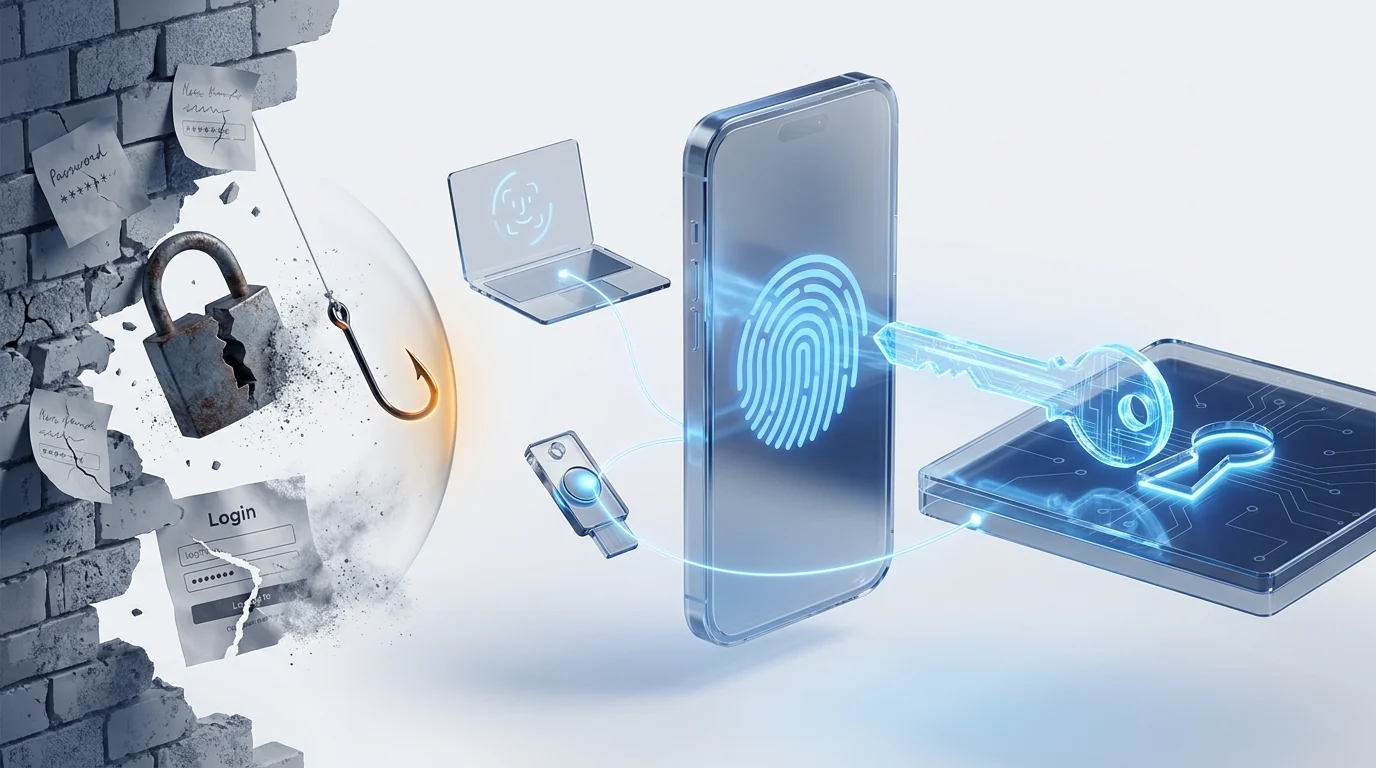
A passkey replaces the password (and the 2FA code) with a cryptographic key pair: the private key lives on your phone, laptop or security key and is unlocked with a fingerprint, your face or a PIN. Because it is bound to the legitimate domain, it cannot be typed into a fake website: credential phishing stops working by design. Dokuflex already supports signing in with passkeys and setting the policy for the whole organisation.
What a passkey is (and why it is not "just another password")
A passkey is a credential of the WebAuthn/FIDO2 standard, built on public-key cryptography. When you register one, your device generates a key pair: the private key stays on the phone, the laptop or a security key, protected by fingerprint, face or PIN; the server only stores the public key. At sign-in, the server sends a one-time challenge and the device signs it after the biometric unlock. Nothing is typed. No secret travels.
That design produces the three properties that set it apart from any password:
- Nothing to remember or type: the "human factor" — weak, reused or written-down passwords — disappears from the login.
- No reusable secret to steal: if someone leaks the server's database, all they get is public keys, useless for impersonating anyone.
- Cryptographically bound to the domain: the browser only signs for the domain where the passkey was registered. On a cloned website, there is simply nothing to hand over.
There are two variants: synced passkeys (they travel with your Apple, Google or Microsoft account across your devices) and hardware-bound ones (they live on a physical key such as a YubiKey and never leave it — the preferred option for high-privilege profiles).
Why phishing keeps working (even with 2FA in place)
Phishing does not "hack" anything: it asks for the password and the user hands it over. That is why it has sat among the most frequent attack vectors for years — the Verizon Data Breach Investigations Report puts stolen credentials and phishing at the top of the breaches it analyses, year after year. And against that, awareness training helps but never closes the hole: one hurried click is enough.
Classic 2FA raises the bar, but does not remove it. A TOTP or SMS code can also be typed into the wrong place: reverse-proxy phishing kits (adversary-in-the-middle attacks) harvest password and code in real time and relay them to the legitimate site before they expire. Push notifications have their own Achilles' heel too: MFA fatigue — bombarding the user until they tap approve.
A passkey breaks the whole model: since the browser only signs for the registered domain, on dokuflex-secure.com nothing shows up to sign. The user cannot give away a secret they neither know nor hold. As a bonus, password reuse across services, sticky notes under keyboards and a good share of "I forgot my password" tickets disappear.
Password, password + 2FA and passkey: the comparison
| Password | Password + TOTP | Passkey | |
|---|---|---|---|
| Resists phishing | No | Partially — the code can also be typed into a fake website | Yes, by design — bound to the legitimate domain |
| What leaks if the server is breached | Crackable password hashes | Hashes + TOTP seeds | Public keys only, worthless |
| Gestures per sign-in | Type the password | Type password + open app + copy code | One: fingerprint, face or PIN |
| Reset tickets and lockouts | Frequent | Frequent (with extra friction) | Nothing to forget |
| Does it count as MFA? | No | Yes | Yes — device + biometrics/PIN in one gesture |
None of this forces you to throw away what you already run: if your organisation signs in through corporate SSO (Active Directory, ADFS, OAuth, SAML) with 2FA, passkeys coexist with that scheme and replace it at whatever pace you choose.
NIS2, ENS and ISO 27001: what they demand and what passkeys bring
No regulation requires "passkeys" by name. But every framework touching companies that operate in Europe pushes in the same direction:
- NIS2: Article 21 of Directive (EU) 2022/2555 lists "multi-factor authentication or continuous authentication solutions" among the minimum measures. If your company is in scope — check it in our guide to the NIS2 directive — strong authentication stops being optional.
- ENS: to work with Spanish public administrations, the National Security Scheme requires authentication mechanisms proportional to the system's category; in the medium and high categories, two factors are the norm. It is the same framework covered by our ENS-ready document management solution.
- ISO 27001 and customer audits: access control is among the first items any auditor reviews. A passkey policy enforced across the whole organisation is direct evidence — and one of the easiest kinds to demonstrate.
One nuance regulators already capture: not all MFA is worth the same. The NIST SP 800-63B guidance distinguishes phishing-resistant authentication — the cryptographic kind, such as FIDO2 — from the kind that is not (SMS, TOTP). Adopting passkeys today means standing where regulation will be tomorrow.
How Dokuflex solves it: passkeys with a company-wide policy
Dokuflex ships passkey login on the WebAuthn/FIDO2 standard — designed around how it is administered in a company, not just the user's gesture:
- One button on the login page: "Sign in with a passkey". Fingerprint, face or security key — no password and no 2FA code, because the passkey counts as both.
- Several passkeys per user: each person registers their own from their profile — phone, laptop, physical key — and if they lose one device, they sign in with another.
- Organisation policy from a dropdown: disabled, optional or mandatory with a grace period. Plus a strict "hardware keys only" mode for administrators and profiles with access to sensitive data.
- Lifecycle control: the administrator instantly revokes the passkey of a lost device, and forced enrolment makes anyone without a passkey register one at sign-in when the organisation requires it.
- Coexists with your current scheme: Dokuflex's corporate SSO and TOTP 2FA stay in place; the passkey replaces them user by user, with no big-bang migration.
The whole flow — registration, passwordless login and policies — is verified end to end and requires nothing to install: a modern browser and the unlock each device already uses (Windows Hello, Face ID, Android fingerprint or a FIDO2 key).
How to roll out passkeys without friction: a 5-step plan
- Start in "optional" mode, with IT. Enable the policy as optional and let the technical team use it for a week or two: the real questions will surface before anyone else is involved.
- Ask for two passkeys per user. Phone + laptop, or device + physical key. It is the difference between "I lost my phone" as a minor incident or as a lockout.
- Switch to "mandatory" with a grace period. Forced enrolment does the work for you: each user registers their passkey at sign-in, with no email campaigns and no chasing people one by one.
- Hardware keys for critical profiles. Administrators, finance and anyone who signs or approves: "hardware keys only" mode, so the key never travels synced.
- Define the loss procedure and measure. Who revokes, how re-enrolment works, and one before/after metric: password reset tickets. It is the easiest ROI to show leadership.
Frequently asked questions
What is a passkey and how is it different from a password? +
A passkey is a credential of the WebAuthn/FIDO2 standard made up of a cryptographic key pair: the private key is stored on your device (phone, laptop or security key) and is unlocked with your fingerprint, your face or a PIN; the server only stores the public one. When you sign in, no reusable secret is typed or transmitted: the device signs a one-time challenge. That is why a passkey cannot be guessed, is worthless if the database leaks and cannot be entered on a fake website.
Do passkeys replace two-factor authentication (2FA)? +
Yes. A passkey combines something you have (the device holding the private key) with something you are or know (the fingerprint, face or PIN that unlocks it), so it is multi-factor authentication in a single gesture. In Dokuflex the passkey replaces both the password and the TOTP code in the same sign-in; classic 2FA remains available for anyone who has not registered one yet.
What happens if an employee loses their phone or security key? +
Each user can register several passkeys (phone, laptop, physical key), so losing one device does not lock them out. The administrator revokes the lost device's passkey from the panel and it stops working instantly. In addition, the private key never leaves the device and is protected by biometrics or a PIN, so whoever finds it cannot use it without that unlock.
Are passkeys mandatory to comply with NIS2, ENS or ISO 27001? +
No regulation requires passkeys by name, but all three push in their direction: NIS2 demands multi-factor or continuous authentication solutions where appropriate, Spain's ENS requires robust authentication mechanisms according to the system's category, and ISO 27001 requires access control proportional to risk. NIST guidance SP 800-63B also distinguishes phishing-resistant MFA — the cryptographic kind, such as FIDO2 — from the kind that is not, such as SMS or TOTP codes.
What does my company need to use passkeys in Dokuflex? +
Nothing to install: a current browser and devices with Windows Hello, Touch ID/Face ID, a fingerprint reader on Android or a FIDO2 key (YubiKey or similar). The administrator picks the organisation's policy from a dropdown — disabled, optional or mandatory with a grace period — and each user registers their passkeys from their profile in a minute. There is also a strict mode that only accepts hardware security keys.
Can the company require every user to use a passkey? +
Yes. The mandatory policy activates forced enrolment: a user who does not yet have a passkey must register one at sign-in before continuing, with a configurable grace period so operations are not disrupted on day one. For administrators and profiles with access to sensitive data, the passkey can additionally be required to live on a hardware security key, not on a phone or laptop.
Leave phishing with no credentials to steal
Book a 30-minute session: we show you the passkey login live, review your current access policy and leave you with the rollout plan — optional first, mandatory with a grace period next, hardware keys for critical profiles.